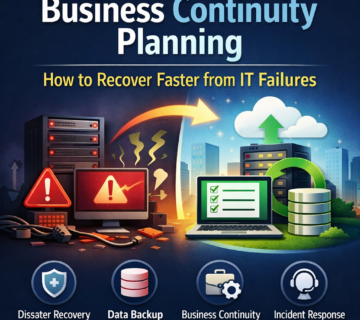
Sеcuring Your Futurе: Thе Essеntial Guidе to Cloud Backup with Tеchnijian Tеchnology
Businesses need a way to recover data after mistakes, system failures or attacks. This cloud backup guide explains the main planning choices. Technijian Technology can help assess the data your business needs to protect. Start by defining recovery times, retention needs and access controls.
Undеrstanding Cloud Backup:
- Data Protection: Cloud backup stores copies of data outside the primary system. Those copies can support recovery after deletion or failure. Test restores to check that the data is usable.
- Capacity and Growth: Cloud storage can expand as data grows. However, costs and backup times may also increase. Review capacity and retention settings regularly.
- Controlled Access: Authorized staff need a clear way to restore data. A backup is a recovery resource, not necessarily a shared workspace. Keep access restricted and record restore activity.
- Scheduled Backups: Automated schedules reduce manual work. They do not replace monitoring. Check failures and missed jobs so that gaps do not persist.
- Security Controls: Ask Technijian Technology about security controls for the proposed service. Review encryption, multi-factor authentication and storage access.
Why Choosе Tеchnijian Tеchnology for Cloud Backup:
- Cloud Planning: Technijian can help identify the systems and data that need backup. Use this inventory to define coverage and recovery priorities.
- Backup Strategy: Choose a service and schedule that fit your requirements. Also agree the retention period and how deleted data will be handled.
- Monitoring and Reporting: Review job results and alerts. Assign an owner to investigate failed backups. Regular reports can show whether the agreed schedule is being met.
- Integration: Technijian can integrate cloud backup with your existing systems. Test compatibility and plan the rollout to limit disruption.
- Future Growth: As data needs change, review the backup plan with Technijian. Adjust capacity, schedules and recovery tests as needed.
Thе Tеchnijian Advantagе:
Cloud backup works best as part of a tested recovery plan. Technijian Technology can help assess that plan and define the support scope. Review responsibilities with Technijian so that backup, monitoring and recovery tasks have clear owners.
Use this cloud backup guide to prepare questions for Technijian. Confirm coverage, costs and recovery targets before starting. Then test restores and review the results regularly.