Azure Cloud Migration for SMBs: Zero-Downtime Steps to Move Your Workloads Safely
🎙️ Dive Deeper with Our Podcast!
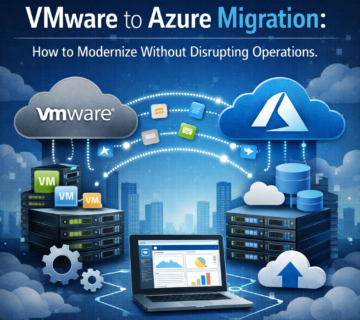
Moving your business operations to the cloud doesn’t have to mean sleepless nights or disrupted workflows. For small and medium-sized businesses (SMBs), Azure cloud migration offers tremendous opportunities for scalability, security, and cost savings—but only when executed with precision and planning.
This comprehensive guide walks you through the essential phases of Azure cloud migration, with a special focus on maintaining business continuity, implementing immutable backups, and optimizing costs throughout the process.
Why SMBs Are Choosing Azure Cloud Migration Services
The shift to cloud infrastructure has accelerated dramatically over the past few years. SMBs are discovering that Azure provides enterprise-grade capabilities without requiring enterprise-scale IT departments. Whether you’re running legacy applications, managing growing data volumes, or seeking better disaster recovery options, Azure cloud migration services deliver flexibility that on-premises infrastructure simply cannot match.
For businesses in competitive markets like Orange County, cloud migration isn’t just about technology upgrades—it’s about staying agile in rapidly changing business environments. Companies that embrace cloud migration gain advantages in remote work capabilities, data analytics, and operational resilience.
Understanding the Zero-Downtime Migration Approach
Zero-downtime migration isn’t just a buzzword—it’s a critical requirement for businesses that cannot afford service interruptions. This approach ensures your applications and data remain accessible throughout the migration process, eliminating the risk of lost revenue or frustrated customers.
The key to achieving zero downtime lies in careful planning, phased implementation, and leveraging the right tools and technologies. Azure provides multiple pathways for migration, and choosing the correct strategy for your specific workloads makes all the difference.
Phase 1: Assessment and Discovery
Before moving a single workload, you need a complete understanding of your current infrastructure. This discovery phase involves cataloging all applications, databases, servers, and dependencies within your environment.
Start by identifying which applications are cloud-ready and which may require remediation. Legacy systems might need modernization, while others can lift-and-shift directly to Azure. Document performance baselines, storage requirements, and network dependencies to inform your migration strategy.
Cloud readiness assessments reveal hidden dependencies that could derail your migration if overlooked. Applications that seem independent often have database connections, API integrations, or shared authentication systems that must move together. A thorough discovery process prevents unexpected downtime and ensures nothing gets left behind.
Phase 2: Strategic Planning and Architecture Design
With your assessment complete, the next phase focuses on designing your Azure architecture. This stage determines how your workloads will operate in the cloud, including compute resources, storage configurations, networking topology, and security controls.
Consider how Azure’s regions and availability zones align with your business continuity requirements. For businesses seeking cloud migration in Orange County, choosing the appropriate Azure regions impacts latency, compliance, and disaster recovery capabilities.
Design your architecture with scalability in mind. Cloud environments should flex with your business demands, scaling resources up during peak periods and down during quieter times. This elasticity delivers cost optimization that static on-premises infrastructure cannot achieve.
Security architecture deserves special attention during this phase. Implement Azure’s native security tools, including Azure Security Center, network security groups, and identity management through Azure Active Directory. Establish clear policies for data encryption, both at rest and in transit.
Phase 3: Building Your Azure Foundation
Before migrating workloads, establish the foundational elements of your Azure environment. This includes setting up subscriptions, resource groups, virtual networks, and hybrid connectivity options like Azure ExpressRoute or VPN gateways.
Configure your landing zones—pre-built environments that provide governance, security, and operational consistency for incoming workloads. Landing zones accelerate deployment while maintaining organizational standards across all cloud resources.
Implement Azure Policy and role-based access control (RBAC) to enforce compliance and prevent configuration drift. These governance frameworks ensure that as your cloud environment grows, it remains secure and manageable.
Phase 4: Implementing Veeam Backup Solutions for Data Protection
Data protection forms the cornerstone of any successful migration strategy. Before moving production workloads, establish comprehensive backup and recovery capabilities using Veeam backup solutions integrated with Azure.
Veeam provides critical advantages for Azure migrations, including application-consistent backups, granular recovery options, and most importantly—immutable backups that cannot be altered or deleted. This immutability protects against ransomware attacks and accidental deletions, giving you confidence that your data remains recoverable regardless of what happens in your production environment.
Configure backup policies that align with your recovery point objectives (RPO) and recovery time objectives (RTO). Test your recovery procedures before migration begins—waiting until you face an actual emergency is far too late to discover problems with your backup strategy.
Immutable backups create a security baseline that traditional backup methods cannot match. Even if attackers compromise your Azure environment, they cannot corrupt or encrypt your immutable backup copies stored in Azure Blob Storage with appropriate retention policies.
Phase 5: Pilot Migration and Testing
Never migrate your entire infrastructure at once. Start with non-critical workloads or development environments to validate your migration process and identify potential issues in a low-risk setting.
Use Azure Migrate and Azure Site Recovery to perform your pilot migrations. These tools provide replication capabilities that keep your on-premises systems running while creating synchronized copies in Azure. This replication enables seamless cutover with minimal downtime.
During pilot migration, rigorously test application functionality, performance, and integration points. Validate that monitoring and logging work correctly, security controls function as designed, and backup processes execute successfully.
Document lessons learned from each pilot migration. These insights refine your procedures before tackling business-critical systems, reducing risk and improving efficiency as you progress through your migration roadmap.
Phase 6: Production Migration with Zero Downtime
With successful pilot migrations complete, you’re ready to move production workloads. The zero-downtime approach relies on parallel operations—keeping existing systems operational while bringing new Azure resources online.
Leverage Azure Site Recovery for mission-critical applications. This tool provides continuous replication from on-premises to Azure, allowing you to fail over to cloud resources during a planned maintenance window. If issues arise, you can fail back to on-premises systems without data loss.
Database migrations require special attention. Use tools like Azure Database Migration Service for minimal-downtime database transfers. These services synchronize ongoing transactions during migration, ensuring data consistency when you cut over to Azure.
Plan your cutover windows during low-traffic periods, even when using zero-downtime techniques. Unexpected issues are easier to address when system load is minimal and user impact is reduced.
Phase 7: Optimization and Cost Management
Migration completion is just the beginning of your cloud journey. Immediately after migration, begin optimizing resource utilization and managing costs.
Azure provides numerous cost management tools, including Azure Cost Management + Billing, Azure Advisor, and reserved instance pricing. Right-size your virtual machines based on actual usage patterns rather than peak capacity planning. Many SMBs discover they over-provisioned their initial Azure resources and can achieve significant savings through optimization.
Put in place auto-scaling policies that modify resources in response to demand. This dynamic scaling ensures you only pay for what you need while maintaining performance during traffic spikes.
Review your storage tiers and move infrequently accessed data to cool or archive storage. These lower-cost tiers dramatically reduce storage expenses for backup data and historical records that must be retained for compliance but are rarely accessed.
Consider Azure Hybrid Benefit if you have existing Windows Server or SQL Server licenses with Software Assurance. This benefit can reduce Azure compute costs by up to 40% for SMBs with qualifying licenses.
Phase 8: Ongoing Management and Security
Successful cloud operations require continuous monitoring, maintenance, and security vigilance. Establish processes for patch management, security updates, and performance monitoring.
Azure Monitor and Azure Security Center provide comprehensive visibility into your cloud environment. Configure alerts for performance anomalies, security threats, and budget overruns. Proactive monitoring prevents small issues from becoming major outages.
Regularly review and update your disaster recovery plans. Test failover procedures quarterly to ensure your recovery capabilities remain functional. As your Azure environment evolves, your disaster recovery strategies must evolve with it.
Maintain your Veeam backup solutions with regular testing of restore operations. The best backup strategy means nothing if you cannot actually recover data when needed. Schedule recovery drills that validate both technical procedures and team readiness.
Key Considerations for Cloud Migration in Orange County
Businesses in Orange County face unique considerations when planning Azure cloud migration. Local compliance requirements, industry-specific regulations, and regional connectivity options all influence migration strategies.
Healthcare organizations must ensure HIPAA compliance throughout their Azure environment. Financial services firms need to address regulatory requirements around data residency and audit capabilities. Retail businesses benefit from Azure’s ability to handle seasonal traffic spikes without over-provisioning year-round capacity.
Working with cloud migration experts who understand both Azure technologies and local business requirements accelerates your migration while reducing risk. Regional expertise ensures your cloud architecture aligns with industry best practices and regulatory obligations.
Common Migration Challenges and Solutions
Even well-planned migrations encounter obstacles. Understanding common challenges helps you prepare appropriate solutions before problems arise.
Application dependencies often prove more complex than initial assessments reveal. Address this by maintaining detailed application mapping and testing integration points thoroughly before production cutover.
Network performance concerns sometimes emerge post-migration. Mitigate this through proper ExpressRoute implementation or optimized VPN configurations that provide consistent, reliable connectivity between Azure and remaining on-premises resources.
Skills gaps within IT teams can slow migration progress. Invest in Azure training for your staff or partner with experienced Azure cloud migration services providers who bring expertise your team can learn from over time.
Change management resistance from end users and stakeholders requires clear communication about migration benefits and minimal disruption expectations. Involve business stakeholders early in planning to build support and manage expectations.
The Critical Role of Immutable Backups in Migration
Immutable backups deserve special emphasis because they provide the ultimate safety net during and after migration. Traditional backups can be modified or deleted, creating vulnerability during the migration period when systems exist in transitional states.
Veeam’s immutable backup capabilities, combined with Azure Blob Storage’s immutability features, create tamper-proof data protection. Once written, these backups cannot be altered for the specified retention period—not by administrators, not by malicious actors, and not by ransomware.
This immutability proves especially valuable during migration when configuration changes, multiple system states, and numerous administrators increase the risk of accidental deletions or security compromises. Your immutable backups remain pristine regardless of what happens in your production or migration environments.
Post-Migration: Measuring Success and Continuous Improvement
Define clear success metrics before beginning migration. These metrics might include application availability percentages, cost savings compared to on-premises infrastructure, performance improvements, or reduced time-to-market for new features.
Track these metrics rigorously post-migration. Many SMBs discover unexpected benefits from cloud migration—improved developer productivity, faster time-to-insight from data analytics, or enhanced collaboration capabilities that weren’t primary migration drivers but deliver significant value.
Establish a continuous improvement process that regularly reviews your Azure architecture, cost optimization opportunities, and security posture. Cloud environments evolve rapidly, and staying current with Azure’s new capabilities ensures you maximize the value of your migration investment.
FAQ
How long does a typical Azure migration take for an SMB?
Migration timelines vary based on workload complexity, data volumes, and organization readiness. Simple migrations with straightforward applications might complete in 4-8 weeks, while complex environments with legacy systems could require 3-6 months. Proper planning and phased approaches allow business operations to continue normally throughout the process.
What is the difference between lift-and-shift and refactoring during cloud migration?
Lift-and-shift moves applications to Azure with minimal modifications, maintaining their existing architecture. This approach offers faster migration but may not leverage cloud-native features. Refactoring redesigns applications to use cloud services like Azure SQL Database or Azure Functions, providing better performance and cost efficiency but requiring more development effort.
How much does Azure cloud migration cost?
Migration costs depend on current infrastructure size, chosen migration strategy, and required services. Typical costs include Azure resource consumption, migration tools and services, potential application modifications, and professional services if needed. Many SMBs find that Azure’s pay-as-you-go model delivers lower total cost of ownership than maintaining on-premises infrastructure.
Can we migrate gradually without moving everything at once?
Absolutely. Phased migration is the recommended approach for most SMBs. Start with non-critical workloads, validate processes, then progressively migrate more important systems. This incremental strategy reduces risk, allows learning from early phases, and maintains business continuity throughout the journey.
What happens if something goes wrong during migration?
Proper migration planning includes fallback procedures and rollback capabilities. Azure Site Recovery enables failback to on-premises systems if issues arise. Your Veeam backup solutions provide additional safety nets, allowing restoration of systems to pre-migration states if necessary. This is why comprehensive testing during pilot phases is essential.
Do we need to maintain our on-premises infrastructure during migration?
Yes, your existing infrastructure should remain operational until Azure workloads are fully validated and cutover is complete. Many organizations maintain hybrid configurations indefinitely, running some workloads in Azure while keeping others on-premises based on specific requirements.
How does Azure cloud migration improve disaster recovery capabilities?
Azure provides geographically distributed data centers, automated failover capabilities, and immutable backup storage that dramatically enhance disaster recovery. Recovery time objectives (RTO) and recovery point objectives (RPO) that required expensive on-premises infrastructure become achievable at SMB-friendly price points through Azure services.
What security improvements should we expect after Azure migration?
Azure offers enterprise-grade security features including advanced threat protection, DDoS mitigation, encryption by default, and continuous compliance monitoring. These capabilities exceed what most SMBs can implement on-premises. Combined with proper configuration and governance, Azure environments typically achieve superior security postures compared to traditional infrastructure.
How do we ensure compliance with industry regulations in Azure?
Azure maintains extensive compliance certifications including HIPAA, PCI DSS, SOC 2, and many industry-specific standards. Azure Policy and Azure Blueprints help enforce compliance controls automatically. Working with experienced migration partners ensures your specific regulatory requirements are addressed throughout the migration architecture.
Can employees continue working normally during the migration?
Yes. Zero-downtime migration strategies specifically aim to maintain normal business operations throughout the process. Users typically experience no interruption, or at most brief maintenance windows during final cutover stages. Proper planning ensures that productivity continues unaffected while technical teams handle the behind-the-scenes migration work.
How Technijian Can Help
Navigating Azure cloud migration requires expertise, experience, and careful execution. Technijian specializes in delivering seamless cloud migrations for SMBs, with deep knowledge of Azure technologies, Veeam backup solutions, and zero-downtime migration strategies.
Our team brings proven methodologies refined through dozens of successful migrations. We understand the unique challenges Orange County businesses face, from compliance requirements to budget constraints, and we tailor our approach to your specific needs.
Technijian’s comprehensive Azure cloud migration services include:
- Complete infrastructure assessment identifying all applications, dependencies, and cloud readiness factors
- Custom migration roadmap development aligned with your business objectives and risk tolerance
- Azure architecture design optimized for performance, security, and cost efficiency
- Veeam backup implementation with immutable backup configurations for maximum data protection
- Phased migration execution with zero-downtime approaches that keep your business running
- Post-migration optimization ensuring you maximize ROI from your cloud investment
- Ongoing managed services providing continuous monitoring, security, and support
We don’t just move your workloads—we ensure your cloud environment positions your business for growth, innovation, and resilience.
Ready to Start Your Azure Migration Journey?
Get Your Cloud Readiness Report
Discover exactly where your organization stands and what steps will lead to a successful Azure migration. Technijian’s comprehensive Cloud Readiness Report provides:
- Detailed assessment of your current infrastructure
- Application-by-application migration recommendations
- Projected costs and ROI analysis
- Risk identification and mitigation strategies
- Customized migration timeline and roadmap
Don’t leave your cloud migration to chance. Partner with experts who have guided countless SMBs through successful Azure transformations.
Contact Technijian today to schedule your Cloud Readiness Assessment and take the first step toward a more agile, secure, and cost-effective IT infrastructure.
About Technijian
Technijian is a trusted IT solutions provider specializing in cloud migration, managed IT services, and cybersecurity for small and medium-sized businesses. With years of experience helping Orange County companies modernize their infrastructure, we combine technical excellence with personalized service that treats your business challenges as our own.
Our team of certified Azure professionals and Veeam experts has successfully guided dozens of organizations through seamless cloud transformations. We pride ourselves on delivering enterprise-grade solutions with the responsiveness and flexibility that SMBs need to thrive in competitive markets.
At Technijian, we believe technology should empower your business, not complicate it. Whether you’re taking your first steps into the cloud or optimizing an existing Azure environment, we provide the expertise, support, and partnership you need to succeed.