
.NET Development
Build, Migrate & Modernize
Your enterprise application runs on .NET Framework 4.x and Microsoft stopped investing in it 3 years ago. You paid $300K for a custom app and the dev shop disappeared. Your WCF services are end-of-life. Your team deploys by right-click Publish and ships features once a month.
Technijian builds, migrates, and modernizes .NET applications: .NET 8 migration (50% faster, 60% less memory), Blazor and React frontends, Azure cloud-native deployment, Clean Architecture, CI/CD from day one, and codebases your team can actually maintain.
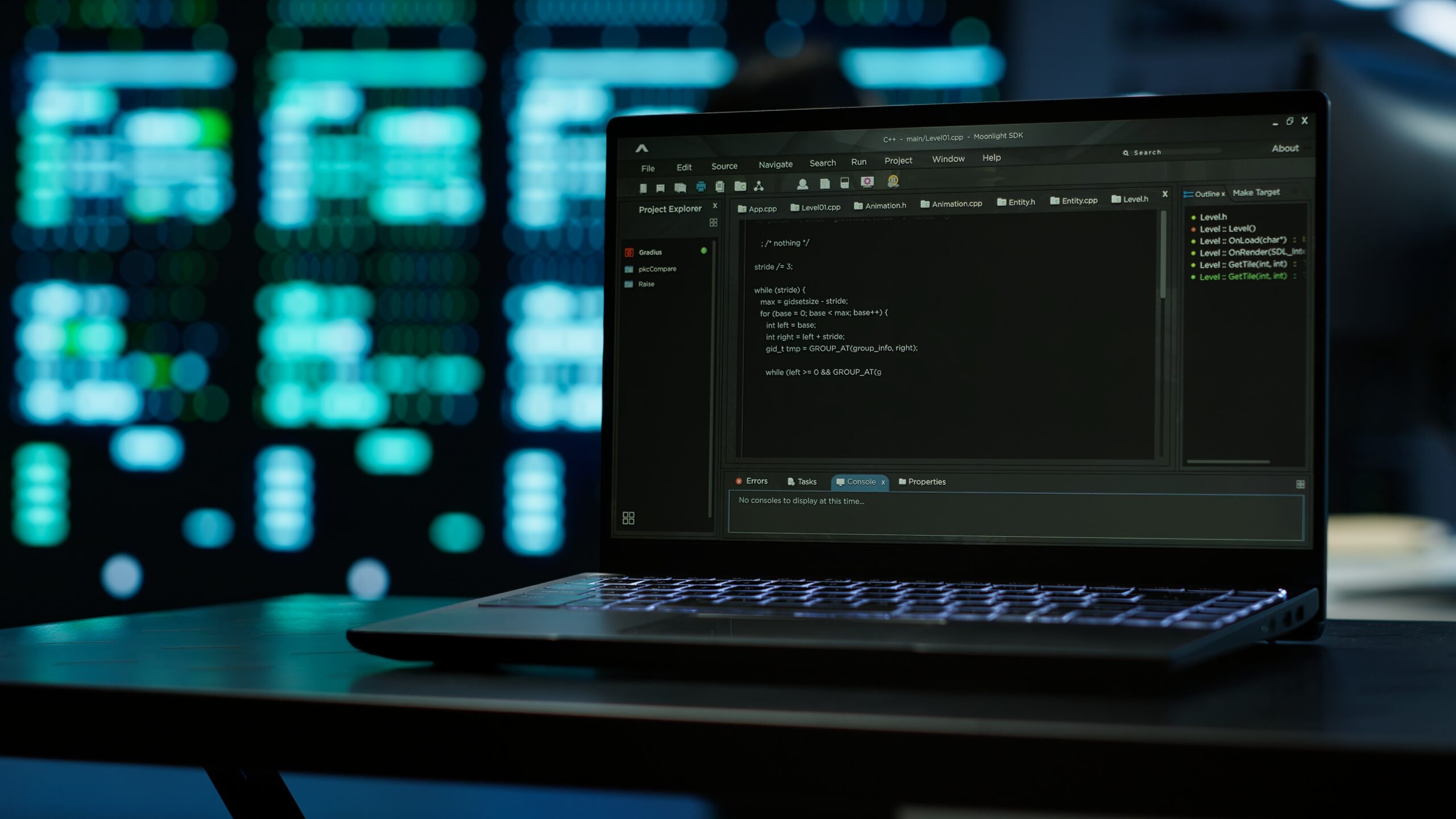
Sound Familiar?
If any of these describe your .NET application, you need Technijian.
Your enterprise application runs on .NET Framework 4.x and Microsoft stopped investing in it 3 years ago
Your core business application — the ERP, CRM, internal portal, or customer-facing platform that generates revenue — was built on .NET Framework 4.6 or 4.8 five to twelve years ago. It works. But: Microsoft has placed .NET Framework in permanent maintenance mode (security patches only — no new features, no performance improvements, no innovation). You can’t deploy to Linux or containers. Your hosting costs are 2-3x what they’d be on modern .NET running on Linux. Senior engineers won’t join your team because nobody wants to work on legacy .NET Framework in 2026. Every feature takes 3x longer than it should because you’re fighting the framework instead of building product. Your application is technically functional but strategically dead.
You paid $300K for a custom .NET application 4 years ago and the dev shop disappeared
A development agency built your custom application on ASP.NET MVC or Web Forms. They delivered. Then they pivoted to AI consulting, or the lead developer left, or the company folded. You have a production application with no one to maintain it. Bugs take weeks to fix because your internal team doesn’t know the codebase. The original developers didn’t write documentation. The deployment process is ‘copy files to the server and pray.’ There are no automated tests. The application is on .NET Framework with NuGet packages that haven’t been updated since 2021. You need a development partner who will inherit this codebase, stabilize it, modernize it, and actually be around in 3 years.
Your WCF services are end-of-life and your microservices migration has been ‘planned’ for 2 years
Your backend runs on WCF (Windows Communication Foundation) — the SOAP-based service framework that Microsoft deprecated and will not port to modern .NET. Your architecture team has been planning the migration to REST APIs or gRPC for 2 years. Nothing has shipped. The challenge: WCF is deeply integrated into your application — service contracts, data contracts, bindings, behaviors, message inspectors. You can’t rewrite overnight. You need a phased migration strategy that replaces WCF services incrementally with ASP.NET Core Web API or gRPC endpoints while keeping the existing application running. This is not a greenfield project — it’s surgery on a running patient.
Your application takes 45 seconds to deploy, crashes under 200 concurrent users, and your team ships features once a month
Your .NET application is deployed by manually publishing from Visual Studio to a Windows Server running IIS. There’s no CI/CD pipeline. Deployments happen on Fridays (because nobody wants to deploy on Monday and discover the break on Tuesday). Rollbacks mean restoring yesterday’s folder from a ZIP file. Performance: the application handles 200 concurrent users before response times exceed 5 seconds. Memory usage climbs steadily until the app pool recycles. Your database queries are unoptimized Entity Framework LINQ that generates 47 SQL joins. Your team ships features once a month because the deployment process is terrifying and testing is manual.
Typical .NET Shop vs. Technijian
❌ Typical .NET Shop
✓ Technijian .NET Development
Why 2026 Is the Year to Migrate from .NET Framework to .NET 8 (and What It Actually Takes)
Microsoft placed .NET Framework in permanent maintenance mode: security patches only, no new features, no performance improvements, no innovation roadmap. .NET 6 reached end of support in August 2025. The current Long-Term Support release is .NET 8 (supported through November 2026), with .NET 10 arriving as the next LTS. Every month your application stays on legacy .NET Framework, you pay a hidden tax: Windows-only hosting costs 2-3x more than Linux containers on Azure or AWS, you cannot deploy to Kubernetes or use serverless Azure Functions, your developer hiring pool shrinks as senior engineers refuse to work on unsupported frameworks, feature velocity slows because the framework fights modern patterns, and security exposure grows from a runtime that will never receive non-critical patches again.
The performance case alone justifies migration. Applications migrated from .NET Framework to .NET 8 consistently report 30-50% faster request handling (the .NET team has obsessively optimized the runtime, Kestrel web server, and core libraries for years), 40-60% lower memory consumption (better garbage collection, Span<T> optimizations, reduced allocations), smaller Docker images (100-200MB vs 1-2GB for Windows containers), sub-100ms cold starts with Native AOT compilation (critical for serverless and microservices), and dramatically better throughput under load (more requests per server = fewer servers = lower cloud costs). For an application running on 4 Azure VMs at $400/month each, migration to .NET 8 on Linux containers could reduce to 2 VMs at $150/month each — saving $10,800/year in hosting alone.
The migration is not trivial. The most common blockers: WCF services (not ported to modern .NET — must migrate to gRPC, REST API, or CoreWCF), Web Forms (completely deprecated — UI must be rebuilt in Blazor, React, or Razor Pages), third-party NuGet packages that were abandoned and never updated for modern .NET, direct Windows API dependencies (registry, COM interop, Windows-specific services), and tightly coupled architectures that make incremental migration difficult. Technijian’s approach: assess the codebase with .NET Upgrade Assistant and manual review, build a phased migration plan (highest-value or highest-risk components first), set up the .NET 8 project alongside the existing application, migrate incrementally (one service, one module, one layer at a time), validate at each phase with automated regression testing, and cut over to production when each phase is verified. Average enterprise migration: 8-16 weeks depending on complexity. The application runs throughout — this is surgery, not replacement.
Clean Architecture for .NET: Why Your Application’s Structure Matters More Than Your Framework Version
The most expensive technical decision in any .NET project isn’t which framework version to use — it’s how the code is organized. Applications with proper architecture can be migrated, extended, and maintained for a decade. Applications without it become unmaintainable within 2-3 years regardless of the framework. The pattern we see repeatedly in inherited codebases: business logic mixed into controllers (500-line controller methods that do everything), Entity Framework DbContext leaked throughout the application (database coupling everywhere), no dependency injection or inversion of control, models that are simultaneously database entities, API DTOs, and view models, and zero automated tests because the code is untestable by design.
Technijian implements Clean Architecture (also known as Hexagonal Architecture or Ports and Adapters) in every .NET project: the Domain layer contains business entities, value objects, and domain events — zero dependencies on external frameworks. The Application layer contains use cases, commands, queries, and interface definitions — depends only on Domain. The Infrastructure layer implements interfaces defined in Application — database access (EF Core), external APIs, file storage, messaging. The Presentation layer (API controllers, Blazor components, or MVC views) depends on Application through dependency injection — never touches Infrastructure directly. The result: business logic is framework-independent and testable in isolation, database can be swapped without touching business rules, API layer can be replaced without touching business logic, and automated testing is straightforward because dependencies are injectable.
For teams that find Clean Architecture too ceremonial, we also implement Vertical Slice Architecture (organize by feature instead of layer — each feature contains its handler, validator, model, and tests in one folder) and Modular Monolith (a well-structured monolith with explicit module boundaries — the pragmatic middle ground before microservices). The architectural approach depends on your team size, domain complexity, and long-term goals. What doesn’t change: every project has proper separation of concerns, dependency injection, automated testing, and documentation. The goal is an application your team can understand, maintain, and extend for years — not a demonstration of architectural purity.
The Build vs Buy vs Inherit Decision: When Custom .NET Development Is (and Isn’t) the Right Answer
Not every business problem requires custom software. Before building, Technijian evaluates whether a SaaS solution, a configured platform, or custom development is the right answer. Custom .NET development is right when: your business process is genuinely unique and provides competitive advantage (if off-the-shelf software can do it, buy the software), you need deep integration with existing systems that SaaS platforms can’t provide, you require performance, security, or compliance characteristics that SaaS cannot meet, you’ve outgrown a SaaS platform and the customization tax is killing your velocity, or you’re building a product (SaaS, platform, marketplace) that is your business, not a tool for your business. Custom development is wrong when: a well-configured Salesforce, HubSpot, Shopify, or NetSuite solves 80%+ of the need, the problem domain is generic (project management, CRM, basic e-commerce, HR), you don’t have the budget for ongoing maintenance (custom software requires continuous investment), or the business process will change substantially in the next 12 months (build when the process is stable, not when it’s still evolving).
For inherited codebases — the $300K application whose developers disappeared — the decision is different. You already have custom software. The question is: rescue, rebuild, or replace? Rescue (stabilize and incrementally modernize) when: the application fundamentally works, the business logic is sound, and the problems are technical (bad architecture, no tests, outdated framework). Rebuild (new application, same requirements) when: the existing codebase is so poorly structured that modification is more expensive than starting fresh, or the technology is truly end-of-life with no migration path. Replace (switch to SaaS or off-the-shelf) when: the business has changed and the custom application no longer fits, or a SaaS product now exists that covers your requirements better than custom.
Technijian’s honest assessment helps you avoid the two most expensive mistakes in enterprise software: (1) building custom when you should buy (wasting $200K+ on a custom CRM when Salesforce does it better), and (2) buying when you should build (forcing a SaaS platform into a use case it wasn’t designed for, spending $100K/year in customization and integration fighting the platform). We provide a written recommendation before any development begins — and sometimes that recommendation is ‘don’t build this, here’s the SaaS product that does what you need for $500/month.’ We’d rather earn your trust with honest advice than your money with unnecessary development.
Our 6-Phase Development Process
Discover → Foundation → Build → Test → Deploy → Evolve
Weeks 1-2
Discovery & Architecture
Before writing code: understand your business domain, technical landscape, and constraints. For new applications: domain modeling, user story mapping, architecture decision records (ADRs), technology stack selection, and infrastructure planning. For migrations: comprehensive codebase audit (framework version, NuGet dependencies, deprecated APIs like WCF/WebForms, database layer, test coverage), dependency compatibility analysis (.NET Upgrade Assistant + manual review), migration risk assessment, and phased migration roadmap. For inherited codebases: code quality analysis (SonarQube), architecture documentation, technical debt inventory, and stabilization plan. Output: Architecture Document with technology decisions, migration roadmap (if applicable), sprint plan, and cost estimate.
Continuous
Testing & Quality Assurance
Testing is not a phase — it’s continuous. Technijian’s quality engineering: unit tests (xUnit/NUnit with Moq/NSubstitute — targeting >80% coverage on business logic), integration tests (WebApplicationFactory for ASP.NET Core, Testcontainers for database), end-to-end tests (Playwright for UI workflows), performance testing (k6 or NBomber for load testing, BenchmarkDotNet for micro-benchmarks), security testing (OWASP ZAP, dependency vulnerability scanning), and code quality (SonarQube analysis on every PR, cyclomatic complexity limits, code coverage gates). Automated tests run in CI pipeline — no code merges without passing tests. For migrations: regression test suite verifying feature parity between old and new systems.
Weeks 2-4
Foundation & Infrastructure
Set up the engineering foundation before feature development: Git repository with branching strategy (trunk-based or GitFlow), CI/CD pipeline (Azure DevOps or GitHub Actions — automated build, test, deploy on every commit), Docker containerization (.NET 8 on Linux containers), infrastructure provisioning (Terraform/Bicep for Azure resources — App Service, SQL, Redis, Service Bus, Key Vault), development environments (local Docker Compose, staging, production), code quality tooling (SonarQube, StyleCop, .editorconfig), and initial project scaffolding (Clean Architecture or Vertical Slice template with dependency injection, logging, configuration, error handling, health checks, and OpenAPI/Swagger). For migrations: set up the target .NET 8 project alongside the existing application for incremental migration.
Weeks 10-14
Deployment & Launch
Production deployment with zero drama: blue-green or rolling deployment strategy (new version deployed alongside old, traffic shifted after validation), database migration (EF Core migrations with idempotent scripts, tested in staging first), DNS cutover (if changing hosting), monitoring activation (Application Insights, health checks, alerting thresholds), performance baseline establishment, and launch-day support (Technijian engineering team available during and after deployment). For migrations: phased production cutover — migrate users/traffic incrementally with rollback capability at each phase. Feature flags (using Azure App Configuration or LaunchDarkly) enable gradual rollout and instant rollback without redeployment.
Weeks 3-12+
Core Development / Migration
Iterative development in 2-week sprints: for new applications, feature development following the sprint plan with continuous delivery to staging. For migrations: phased approach — migrate the most valuable or highest-risk components first, run old and new in parallel, validate at each phase before proceeding. WCF to gRPC/Web API migration: extract service contracts, build ASP.NET Core equivalents, implement adapters for backward compatibility, switch consumers incrementally. WebForms to Blazor/React: rebuild UI components using modern frameworks while preserving business logic. Entity Framework 6 to EF Core 8: migrate DbContext, optimize queries (compiled queries, projection, query splitting), eliminate N+1 patterns. Every sprint: code review, automated testing, deployment to staging, stakeholder demo.
Ongoing
Ongoing Development & Support
Software is never done. Technijian provides ongoing .NET development and support: continued feature development in 2-week sprints, bug fixes with SLA-based response times (critical <4 hours, high <8 hours, standard <24 hours), .NET runtime updates (.NET 8 to .NET 10 when released, security patches, NuGet dependency updates), performance monitoring and optimization (Application Insights, query performance, memory profiling), infrastructure management (Azure resources, scaling, cost optimization), security patching and vulnerability remediation, and quarterly architecture reviews (technical debt assessment, refactoring priorities, technology roadmap). Retainer-based or sprint-based engagement models.
.NET Development Services
Build new. Migrate legacy. Rescue abandoned. Ship continuously.
.NET 8 Migration & Modernization
Custom .NET Application Development
Legacy Application Rescue & Stabilization
Blazor Development
Azure & Cloud-Native .NET
API Development & Integration
Our Technology Stack
Modern .NET ecosystem: .NET 8, Blazor, Azure, EF Core, CI/CD, Clean Architecture.
.NET 8 / C# 12
The foundation. .NET 8 is the current Long-Term Support release: cross-platform (Windows, Linux, macOS), containerized deployment, Native AOT compilation for blazing-fast startup, and the culmination of Microsoft’s complete rewrite of the .NET runtime for cloud-native performance.
Blazor / Frontend
Full-stack C# web development. Blazor Server for internal tools with instant startup. Blazor WebAssembly for client-side SPAs. Blazor Hybrid with .NET MAUI for cross-platform desktop and mobile. Plus React/TypeScript when JavaScript ecosystem advantages outweigh full-stack C# benefits.
Azure & Cloud
Modern .NET applications are cloud-native. Technijian deploys .NET workloads on Azure (primary), AWS, or hybrid: Azure App Service, Azure Functions (serverless), Azure Kubernetes Service (AKS), Azure SQL, Cosmos DB, Azure Service Bus, Azure Cache for Redis, Azure Key Vault, and Application Insights for observability.
Data & Integration
Enterprise .NET applications live on their data layer. Technijian implements Entity Framework Core 8 with compiled queries, query optimization, and proper repository patterns. SQL Server, PostgreSQL, and Cosmos DB for persistence. Redis for caching. MassTransit + RabbitMQ or Azure Service Bus for event-driven architecture. REST APIs and gRPC for service communication.
DevOps & CI/CD
Ship fast, ship safely. Every Technijian .NET project includes automated build, test, and deployment: Azure DevOps Pipelines or GitHub Actions, Docker containerization, Infrastructure as Code (Terraform/Bicep), automated testing (xUnit, NUnit, integration tests, Playwright E2E), code quality gates (SonarQube), and zero-downtime deployment strategies (blue-green, rolling).
Architecture
Architecture determines whether your application scales or collapses. Technijian implements: Clean Architecture (domain-driven design with proper separation), Vertical Slice Architecture (for feature-focused teams), microservices (when complexity warrants it — not by default), modular monolith (when a well-structured monolith is the right answer), CQRS + MediatR (command/query separation for complex domains), and event-driven architecture for async processing.
.NET Development Pricing
Sprint-based, project-based, or retainer. Transparent pricing, no surprises.
.NET Results for Southern California Businesses
Frequently Asked Questions — .NET Development
Should I migrate my .NET Framework application to .NET 8?
Almost certainly yes. .NET Framework is in permanent maintenance mode — no new features, no performance improvements, security patches only. Migration to .NET 8 delivers: 30-50% performance improvement, 40-60% less memory usage, Linux/container deployment (2-3x cheaper cloud hosting), access to modern .NET ecosystem, and expandable developer hiring pool. The question is timing and approach. Technijian assesses your codebase, identifies migration blockers (WCF, WebForms, abandoned NuGet packages), and builds a phased migration plan. Average enterprise migration: 8-16 weeks. The application stays running throughout.
How much does custom .NET development cost?
Three engagement models: Sprint ($15K-$30K per 2-week sprint) for ongoing feature development or phased migration. Project ($50K-$250K+ fixed scope) for full application builds, complete migrations, or major modernization. Retainer ($8K-$25K+/month) for continuous development, maintenance, and support. A typical enterprise web application (ASP.NET Core + Blazor/React, Azure SQL, Azure deployment, CI/CD, testing): $80K-$180K for MVP, 10-16 weeks. Migration from .NET Framework to .NET 8: $40K-$150K depending on codebase size, WCF/WebForms usage, and test coverage.
What is the difference between .NET Framework and .NET 8?
.NET Framework (4.x) is the legacy runtime: Windows-only, closed-source, maintenance mode. .NET 8 is the modern runtime: cross-platform (Windows, Linux, macOS), open-source, actively developed, with massive performance improvements. .NET 8 includes ASP.NET Core (replacing ASP.NET MVC/Web Forms), Entity Framework Core (replacing EF6), Blazor (replacing WebForms for UI), gRPC (replacing WCF for services), and Native AOT (sub-100ms cold starts). They share the C# language but are fundamentally different runtimes. Migration requires code changes — it’s not a framework upgrade, it’s a platform migration.
Can Technijian take over an existing .NET codebase from another developer?
Yes. Legacy application rescue is a core capability. Process: comprehensive code audit (architecture, quality, security, dependencies, technical debt), documentation of the existing system, stabilization (fix critical bugs, implement CI/CD, add monitoring), introduce automated testing, refactor for maintainability, and create a modernization roadmap. We’ve inherited codebases with zero documentation, zero tests, and manual deployment. Average stabilization time: 4-6 weeks before we can begin adding features or migrating. We provide honest assessment — including whether the application should be rescued, rebuilt, or replaced with SaaS.
Should I use Blazor or React for my .NET application?
Depends on context. Blazor when: your team is C# developers (full-stack C# eliminates JavaScript overhead), you’re building internal tools/admin portals/dashboards (Blazor Server excels here), you already have .NET backend infrastructure, or you need cross-platform desktop/mobile (Blazor Hybrid + MAUI). React when: you’re building a public-facing consumer application where initial load performance and SEO are critical, you need the richest possible component ecosystem, your team already has JavaScript/TypeScript expertise, or you’re building a SPA that must work offline. Many enterprises use both: React for customer-facing, Blazor for internal.
What architecture does Technijian use for .NET applications?
Depends on complexity. Clean Architecture (domain, application, infrastructure, presentation layers) for enterprise applications with complex business logic. Vertical Slice Architecture for feature-focused teams building APIs and services. Modular Monolith for applications that need structure but aren’t complex enough for microservices. Microservices only when domain complexity genuinely warrants decomposition (most applications don’t need microservices). Every project includes: dependency injection, CQRS where appropriate, automated testing, CI/CD, and comprehensive documentation. We choose architecture based on your domain — not based on resume-driven development.
How does Technijian handle .NET application deployment?
Every project includes CI/CD from day one: Azure DevOps Pipelines or GitHub Actions running automated build, test, and deploy on every commit. Docker containerization (Linux containers for .NET 8). Blue-green or rolling deployment for zero downtime. Infrastructure as Code (Terraform or Bicep) for repeatable deployments. Feature flags for gradual rollout and instant rollback. Deployment to Azure App Service (simplest), Azure Kubernetes Service (complex architectures), or Azure Functions (serverless). No more right-click Publish from Visual Studio. No more Friday deployments with prayers.
Does Technijian provide ongoing .NET support and maintenance?
Yes. Retainer engagement ($8K-$25K+/month) includes: dedicated .NET engineer(s), priority bug fixes (critical <4 hours, high <8 hours, standard <24 hours), ongoing feature development, .NET runtime updates (security patches, version upgrades), NuGet dependency updates, performance monitoring and optimization (Application Insights), security patching, infrastructure management (Azure), and quarterly architecture reviews. We also provide sprint-based ongoing development for teams that prefer project-style engagement over retainer.
Ready to Modernize Your .NET?
Free .NET Assessment — codebase audit, migration feasibility, architecture review, and cost estimate. Whether you’re building new, migrating legacy, or rescuing an abandoned codebase.
Written report with actionable recommendations. Yours whether you hire us or not.
What Our Clients Say
Technijian - Managed IT Services, IT Services and IT Support Orange County
Out of 5 stars
Overall rating out of 68 Google reviews



Working with Technijian has been a game-changer for our business. Their expertise in IT services has streamlined our operations significantly

Technijian's proactive approach to IT support has helped us prevent many potential problems. They are always monitoring our systems and identifying potential issues before they cause downtime

We've been using Technijian for years and have always been impressed with their level of service and expertise.👍👍👍

We highly recommend Technijian to any business looking for a reliable and experienced IT support provider ✨

Technijian's team is incredibly responsive and knowledgeable. They always resolve our IT issues quickly and efficiently.

Technijian’s IT compliance consulting has ensured we meet all regulations without hassle. Highly recommend!

When we faced a data loss crisis, Technijian’s recovery team saved the day. Fast and efficient service!

Their disaster recovery solutions are comprehensive and give us confidence that we’re prepared for anything.

Managed cloud services from Technijian take the complexity out of cloud management, ensuring your business has reliable, scalable, and secure infrastructure.

Migration to Microsoft 365 was seamless with Technijian. Their team provided excellent support throughout the process.

Technijian provides IT compliance consulting to ensure your business meets industry standards and stays on top of evolving regulations.

The IT maintenance services from Technijian have been a game-changer. They keep our systems updated and prevent issues before they arise. Very reliable!

Technijian's VOIP solutions have significantly improved our communication. The quality is excellent and the system is easy to use.

We sleep better knowing our data is safe with Technijian’s cloud backup services. Their secure and reliable solutions ensure we’re protected against unexpected disasters.🤩

Since hiring Technijian, we feel much more confident about the security of our data. Their protection systems have proven to be very effective.

Cybersecurity is a priority for us, and Technijian has provided us with the tools and expertise necessary to keep our systems safe.

Technijian is like having a personal IT team. They are always there to help you and explain everything clearly and simply. 5 stars! ⭐

Migration to Microsoft 365 has never been easier! Let Technijian guide you through the process with minimal downtime and maximum efficiency.