Summary: Cybercriminals have escalated their Facebook phishing attacks over the past six months by deploying sophisticated browser-in-browser (BitB) techniques. These attacks create convincing fake login windows that harvest user credentials from the platform’s three billion active users. Understanding these deceptive tactics is essential for protecting your Facebook account from compromise.
The landscape of Facebook credential theft has evolved dramatically. Hackers are increasingly deploying browser-in-browser attacks to create nearly undetectable fake login interfaces. Security researchers at Trellix have identified a concerning trend in how criminals steal Facebook passwords.
What Is the Browser-in-Browser Attack Method?
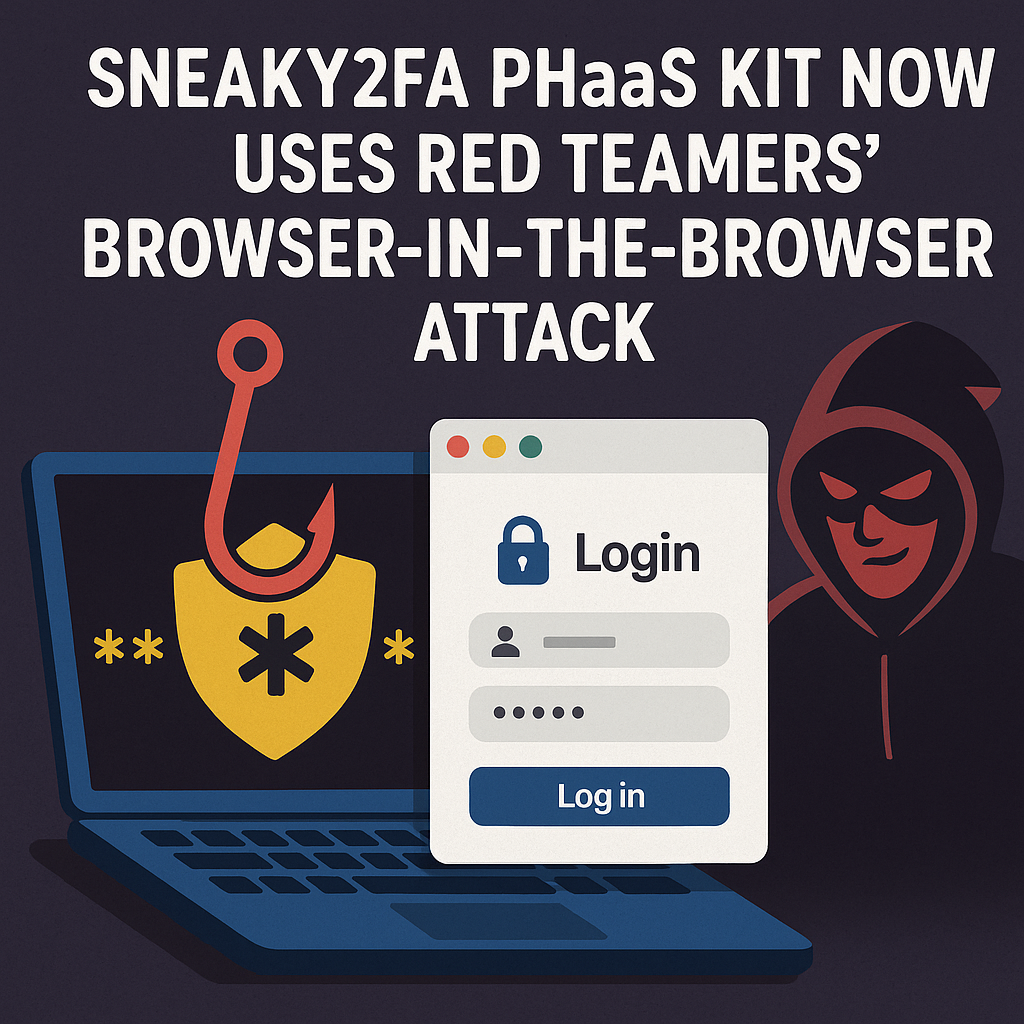
The browser-in-browser technique represents a significant advancement in phishing methodology. Security researcher mr.d0x originally developed this approach in 2022 as a proof of concept. Cybercriminals later weaponized this technique, targeting major platforms including Facebook and Steam.
How BitB Attacks Differ from Traditional Phishing
Unlike traditional phishing pages, BitB attacks create the illusion of legitimacy. They display what appears to be an authentic browser pop-up window. The technical implementation relies on iframes—HTML elements that embed one webpage within another.
These malicious pop-ups include carefully crafted details. They feature realistic window titles, authentic-looking URLs, and interface elements that match the genuine Facebook login experience. For average users who have encountered countless legitimate login prompts, distinguishing fake windows from real ones becomes extraordinarily difficult.
How Cybercriminals Execute Facebook BitB Attacks
Recent phishing campaigns targeting Facebook users follow a calculated progression. According to Trellix researchers, attackers employ several deceptive strategies to steal credentials.
Impersonation Tactics Used by Hackers
Criminals send emails posing as law firms alleging copyright infringement against the victim’s Facebook content. These messages create urgency by threatening immediate account suspension. Other variants impersonate Meta security notifications claiming unauthorized login attempts have been detected.
Building False Legitimacy
To bypass spam filters and security systems, attackers incorporate shortened URLs. These URLs obscure the true destination of the phishing page. They also create fake CAPTCHA pages branded with Meta imagery. This adds another layer of perceived authenticity to the attack chain.
The Credential Harvesting Process
The attack culminates when victims reach a webpage containing the malicious iframe. This fake pop-up window replicates Facebook’s standard login interface with remarkable accuracy. As users enter their credentials, the system captures usernames and passwords in real time.
Why Attackers Use Trusted Cloud Infrastructure
What makes these recent campaigns particularly concerning is the strategic abuse of legitimate cloud hosting platforms. Trellix researchers discovered numerous phishing pages hosted on reputable services like Netlify and Vercel.
Mimicking Meta’s Privacy Center
These phishing pages often mimic Meta’s Privacy Center portal. They present what appears to be official appeal forms for account issues. Victims who complete these forms unknowingly provide login credentials and additional personal information.
How Trusted Platforms Help Attackers
The use of trusted infrastructure serves multiple purposes for attackers. Security filters and antivirus systems are less likely to flag content hosted on recognized platforms. Users who inspect URLs may see familiar domain names and assume the pages are legitimate.
Why Facebook Remains a Prime Target for Hackers
With over three billion active users worldwide, Facebook provides an enormous attack surface for cybercriminals. Compromised accounts serve multiple malicious purposes beyond simple credential theft.
How Stolen Facebook Accounts Are Used
Criminals use stolen accounts to distribute scams to the victim’s entire friend network. These accounts can harvest extensive personal data about the original owner and their connections. This data feeds databases used for targeted fraud and identity theft.
The Value of Facebook Credentials
Identity fraud represents another serious consequence of account compromise. Access to someone’s Facebook account provides detailed personal information, photos, family connections, and employment history. All of this data is valuable for constructing convincing synthetic identities.
How to Identify Browser-in-Browser Attacks
While BitB attacks are designed to be visually convincing, they have technical limitations. Understanding these weaknesses provides practical defense mechanisms that you can use.
The Window Dragging Test
The fundamental limitation of iframe-based pop-ups is their confinement to the parent browser window. Legitimate browser authentication pop-ups function as separate windows. You can drag them outside the main browser frame.
Testing this is straightforward. Attempt to drag any login pop-up outside the browser window. If it moves independently beyond the browser’s edges, it’s likely legitimate. If it remains confined within the browser frame, you’re viewing a malicious iframe.
Checking Security Indicators
Legitimate login pop-ups from major platforms like Facebook typically display security indicators. These include HTTPS padlock icons with verifiable certificate information. While sophisticated attackers can fake these visual elements within an iframe, the browser’s actual address bar shows the real hosting domain.
Essential Protection Strategies Against Facebook Phishing
Protecting yourself against these evolving phishing techniques requires adopting security-conscious behaviors. You must also leverage available protective technologies to safeguard your account.
Navigate Directly to Official Sites
When you receive any email claiming to be from Meta or Facebook, never click embedded links. Instead, open a new browser tab and manually type facebook.com to access your account directly. Legitimate alerts will appear in your account’s notification center.
Examine URLs Carefully Before Entering Credentials
Before entering credentials anywhere, scrutinize the URL in your browser’s address bar. Don’t look at URLs within any pop-up window. Legitimate Facebook login pages will display facebook.com or fb.com domains with proper HTTPS encryption.
Enable Two-Factor Authentication Immediately
This security feature adds a critical second verification step beyond your password. Even if attackers successfully capture your login credentials through a phishing attack, they cannot access your account. They would also need to compromise your secondary authentication method.
Stay Informed About Current Threats
Cybercriminals constantly adapt their tactics to bypass security measures. Following cybersecurity news sources helps you recognize suspicious communications. Understanding emerging threat patterns protects you before falling victim.
Verify Unexpected Communications
If you receive alarming messages about account suspension or legal action, take time to verify their authenticity. Contact Facebook support directly through verified methods. Don’t respond to questionable emails without confirmation.
The Broader Implications for Online Security
The rise of browser-in-browser attacks signals a troubling trend in cybercrime sophistication. As users become more security-aware, attackers respond with increasingly clever techniques. Instead of taking advantage of technical flaws, these techniques take advantage of human psychology.
Evolution of Phishing Tactics
Traditional security awareness training emphasized checking for obvious red flags. These included spelling errors, suspicious sender addresses, and unprofessional formatting. While these indicators still have value, modern phishing attacks often lack such obvious flaws.
Shared Responsibility for Security
This evolution places greater responsibility on both platforms and users. Social media companies must continue developing advanced detection systems. Users must cultivate deeper security awareness that goes beyond surface-level indicators.
What to Do If You’ve Been Compromised
If you suspect you’ve provided your Facebook credentials to a phishing attack, take immediate action. Time is critical when responding to potential account compromise.
Immediate Steps After Credential Exposure
First, change your Facebook password using a device and network you trust. If you haven’t already, turn on two-factor authentication. Review your account’s security settings and active sessions carefully.
Checking for Unauthorized Activity
Log out any unrecognized devices from your account. Check your account activity for unauthorized posts or messages. Consider running a comprehensive malware scan on any device where you entered credentials.
Additional Security Measures
Keep an eye out for efforts to reset your password on other accounts by email. Phishing sites sometimes deliver additional malware alongside credential theft. Update passwords on any accounts that used the same credentials as your Facebook account.
Frequently Asked Questions
What makes browser-in-browser attacks more dangerous than traditional phishing?
Browser-in-browser attacks are more dangerous because they create highly convincing fake login windows. These windows appear nearly identical to legitimate authentication pop-ups. Unlike traditional phishing pages that redirect to entirely fake websites, BitB attacks occur within the context of the victim’s actual browser. This makes them much harder to identify for the average user.
Can antivirus software detect browser-in-browser phishing attacks?
While modern antivirus and anti-phishing tools offer some protection, they may not reliably detect all BitB attacks. This is especially true when malicious content is hosted on legitimate cloud platforms. These attacks often bypass traditional security filters because they leverage trusted infrastructure. The most effective protection combines security software with user awareness and careful examination of login prompts.
How can I tell if a Facebook login window is legitimate?
The most reliable test is attempting to drag the login window outside your browser frame. Legitimate pop-ups function as independent windows that can move beyond the browser’s boundaries. Fake BitB windows are confined within the main browser window and cannot escape its edges. Additionally, always verify the URL in your browser’s main address bar to ensure you’re on an authentic Facebook domain.
What should I do if I’ve already entered my credentials in a suspicious pop-up?
If you suspect you’ve provided your Facebook credentials to a phishing attack, take immediate action. First, change your Facebook password using a device and network you trust. If you haven’t already, activate two-factor authentication. Review your account’s security settings and active sessions, logging out any unrecognized devices. Check your account activity for unauthorized posts or messages.
Are mobile users also vulnerable to browser-in-browser attacks?
Yes, mobile users face similar risks to desktop users. Mobile browsers can still display malicious iframes that mimic legitimate login interfaces. The smaller screen size may actually make these attacks more effective because users have less visual context. Mobile users should follow the same security practices: navigate directly to official apps, verify URLs carefully, and enable two-factor authentication.
Why do attackers specifically target Facebook accounts?
Facebook’s massive user base of over three billion people makes it an attractive target for cybercriminals. Compromised accounts provide access to extensive personal information and social networks. Stolen accounts can distribute scams to the victim’s friends who trust communications from that account. The personal data available through Facebook access enables identity theft and targeted fraud.
How Technijian Can Help Protect Your Digital Security
At Technijian, we understand that cybersecurity threats continue to evolve in sophistication. Our comprehensive security solutions are designed to protect you from emerging threats like browser-in-browser phishing attacks.
Proactive Security Assessments
Our expert team provides proactive security assessments that identify vulnerabilities in your digital infrastructure. We implement multi-layered defense strategies including advanced email filtering systems. These systems detect sophisticated phishing attempts before they reach your inbox.
Comprehensive Protection Solutions
We offer endpoint protection that monitors for suspicious browser behavior in real time. Our security awareness training educates your team about the latest threat tactics. For businesses concerned about protecting employee and customer accounts, we provide managed security services.
Expert Incident Response
Our specialists can configure and manage two-factor authentication systems for your organization. We implement secure access policies and establish incident response protocols. These protocols minimize damage when security events occur, protecting your business reputation.
Personalized Cybersecurity Consultations
We also provide personalized cybersecurity consultations for individuals who want to strengthen their personal digital security. Whether you’re concerned about protecting your social media accounts or recovering from a suspected compromise, our team has the expertise to guide you.
Get Protected Today
Don’t wait until you become a victim of Facebook credential theft. Contact Technijian today to learn how our tailored security solutions can protect your digital presence. Visit our website or call our security specialists to schedule a comprehensive assessment of your cybersecurity posture. Our team is ready to help you implement robust defenses against evolving cyber threats.
About Technijian
Technijian is a premier managed IT services provider in Irvine, specializing in delivering secure, scalable, and innovative AI and technology solutions across Orange County and Southern California. Founded in 2000 by Ravi Jain, what started as a one-man IT shop has evolved into a trusted technology partner with teams of engineers, AI specialists, and cybersecurity professionals both in the U.S. and internationally.
Headquartered in Irvine, we provide comprehensive cybersecurity solutions, IT support, AI implementation services, and cloud services throughout Orange County—from Aliso Viejo, Anaheim, Costa Mesa, and Fountain Valley to Newport Beach, Santa Ana, Tustin, and beyond. Our extensive experience with enterprise telecommunications and security deployments, combined with our deep understanding of local business needs, makes us the ideal partner for organizations seeking to implement solutions that provide real protection and operational efficiency.
We work closely with clients across diverse industries, including healthcare, finance, law, retail, and professional services, to design technology strategies that reduce risk, enhance productivity, and maintain the highest protection standards. Our Irvine-based office remains our primary hub, delivering the personalized service and responsive support that businesses across Orange County have relied on for over two decades.
With expertise spanning cybersecurity, managed IT services, telecommunications, AI implementation, consulting, and cloud solutions, Technijian has become the go-to partner for small to medium businesses seeking reliable technology infrastructure and comprehensive capabilities. Whether you need 3CX deployment in Irvine, telecommunications optimization in Santa Ana, or IT consulting in Anaheim, we deliver technology solutions that align with your business goals and operational requirements.
Partner with Technijian and experience the difference of a local IT company that combines global technology expertise with community-driven service. Our mission is to help businesses across Irvine, Orange County, and Southern California harness the power of advanced technology to stay protected, efficient, and competitive in today’s digital world.