What Are AI Agents? Here’s How They Work, Why They’re Exciting, and the Risks They Present
What are AI agents? They are software systems that work toward a goal by using information and taking permitted actions. Some use language models to plan steps and call tools. The scope can range from suggesting a next step to carrying out a limited workflow with human approval.
🎙️ Dive Deeper with Our Podcast! Explore the latest on What Are AI Agents? Here’s How They Work, Why They’re Exciting, and the Risks They Present with in-depth analysis.
👉 Listen to the Episode: https://technijian.com/podcast/ai-agents-how-they-work-their-benefits-and-risks/
Subscribe: Youtube | Spotify | Amazon
The IEEE Spectrum discussion of AI agents describes the idea and its tradeoffs. The term does not promise perfect judgment or unlimited autonomy. For a business, the useful questions are what the system can do, what it may access, and how people can check or stop it.
AI Agents and Their Operating Limits
An agent receives a goal, observes information, chooses a step, and checks the result. It may use a search service, database, or other tool. However, access must be granted and bounded. A model’s ability to propose an action does not mean it should be allowed to perform it.
A traditional workflow can follow fixed rules, while a model-based system may select steps from context. Both still need validation, error handling, and a clear owner. Autonomy is a design choice with limits, not an assurance that a task will finish correctly.
How a Task Moves Through the System
- Define the goal. State the desired result, allowed data, budget, and actions. Identify the steps that need approval.
- Plan the work. Break the task into steps. Check that the plan fits the permissions and available tools.
- Gather information. Read approved sources. Treat external text as data, since it may contain errors or hostile instructions.
- Take a permitted action. Validate inputs before a tool call. Ask for approval before a high-impact step such as a payment or production change.
- Check the result. Confirm success against defined criteria. Stop or escalate when evidence is missing, an error occurs, or a limit is reached.
For example, a travel workflow might compare routes and prepare a booking. A person can review the price and itinerary before purchase. The design should prevent a repeated request from creating duplicate bookings.
Where a Pilot Can Be Useful
Potential uses include drafting customer replies, searching approved documents, routing routine requests, or preparing records for review. A narrow workflow is easier to test than a broad instruction to manage a whole business process.
Some organizations explore specialized work in healthcare, education, or finance. These settings bring additional risks and obligations. Do not assume that a general-purpose model is suitable for diagnosis, treatment, lending, or other consequential decisions. Involve the relevant qualified specialists.
Measure Benefits Against the Existing Process
Automation may reduce repeated manual work or help staff find information. Measure those outcomes instead of assuming them. Compare accepted results, error rates, review time, operating cost, and the work needed to handle exceptions.
More tasks can require more compute, service calls, licences, and human review. Capacity is not free or unlimited. Likewise, a system that runs outside office hours still depends on infrastructure, providers, and support. It cannot guarantee uninterrupted service.
Protect Data and Control Actions
A model can produce a confident but false answer. If that answer drives a tool call, the error can affect a real system. Require validation at the boundary and use authoritative data when checking a result.
Prompt injection is another risk. A web page, email, or document may contain instructions that try to redirect the workflow or expose private data. Keep external content separate from trusted instructions. Limit credentials and permitted actions so one mistake has less reach.
Also, review retention, access, and data sharing with vendors. Record actions where appropriate without placing secrets or unnecessary personal data in logs. Assign responsibility for incident response, user complaints, and review of unfair outcomes.
Start with a Controlled Pilot
Choose a small task and test it with representative cases, including failures. Use a safe environment before allowing changes to live systems. Define a stop control, spending limits, time limits, and a route for human review.
Then compare the results with the original process. Keep the pilot only if the evidence supports its purpose. A successful demonstration does not establish reliability across every user, dataset, or situation.
Review Changes Over Time
Models, products, and integrations change. Recheck behavior after an upgrade or a change in data and access. Treat broader use as a new decision that needs evidence. Better capability does not automatically justify removing oversight.
Frequently Asked Questions
What is an AI agent?
An AI agent is software that works toward a goal using inputs, state, and permitted actions. Some systems use language models to plan steps and call tools. Their scope and reliability depend on the design, data, permissions, and tests.
How does an agent differ from a chatbot?
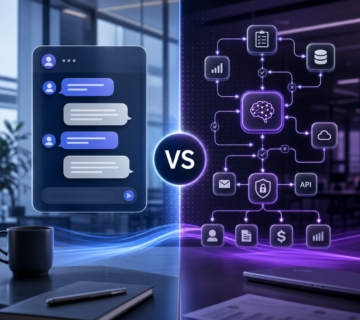
A chatbot mainly exchanges messages. An agent may also use tools, update a system, or follow a workflow. The terms overlap: a chatbot can provide an agent interface, and an agent can use a generative model. Judge the available actions and controls rather than the label.
Can an agent replace human review?
Some low-risk steps can be automated within a tested scope. High-impact actions still need appropriate checks and authorized review. Define who can approve a payment, release data, or change production before enabling those actions.
Are these systems secure?
Security depends on access, tools, data handling, and operating controls. Prompt injection, leaked data, and unintended actions remain risks. Limit privileges, test failures, monitor actions, and provide a way to stop the workflow. No design eliminates every threat.
Where can a business start?
Choose a narrow task with clear inputs and a measurable result, such as preparing a draft for review. Use approved data and a safe test environment. Compare accuracy, time, cost, and exceptions with the existing process before wider use.
What are the main risks?
Key risks include false results, privacy loss, unsafe tool use, bias, and unclear responsibility. Costs and delays can also grow when a workflow repeats steps or calls external services. Set limits, retain suitable records, and assign owners to review failures.
Discuss an Appropriate Scope
Technijian can help review a business workflow, its data, and the controls needed for an AI project. Define the use case, permissions, tests, and operating responsibilities before implementation. Confirm expertise, fees, and deliverables in the proposal.
Bring the current process and examples of difficult cases to the discussion. That makes it easier to decide whether an agent, a simpler automation, or no change is appropriate.
Related Technijian Services and Reading
Review My Jian AI Agent to discuss a service-led use case. The surrounding IT environment also matters: consider managed IT support, private cloud services, and cybersecurity within the project scope.
Related reading covers cloud computing considerations, choosing an IT management approach, and DocuSign invoice impersonation. These topics can inform a review of data access and automated workflows.
Explore managed IT services in Irvine, Orange County support, and IT solutions for Orange. Additional locations include Anaheim, Riverside, and San Diego.
Read about business efficiency and IT support, then contact Technijian with the workflow and results you need to assess. Confirm the service scope and responsibilities before starting work.