AI Workflow Automation Consulting: From Repetitive Tasks to Reliable Processes
Most CEOs and operations leaders already know their teams spend too much time on repetitive work — re-entering data between systems, manually routing approvals, chasing status updates, reconciling spreadsheets that should talk to each other but don’t. What is less clear to many leaders is how to actually fix it without a multi-year software overhaul. This is exactly where AI workflow automation consulting earns its place: not as a buzzword initiative, but as a structured way to take specific, well-understood repetitive processes and turn them into automated, reliable workflows that run consistently without manual babysitting.
This article lays out what AI workflow automation consulting actually involves, how it differs from generic software implementation, where it delivers the fastest return, and a practical framework for deciding which processes in your business are worth automating first.
What AI Workflow Automation Consulting Actually Means
The term gets used loosely, so it is worth being precise. AI workflow automation consulting is the practice of analyzing how work actually moves through a business — across people, systems, and approvals — and then designing automated processes, often using AI models for judgment-based steps, that replace manual effort with reliable, monitored automation.
This is different from simply buying an automation tool or a generic AI chatbot. A consulting engagement starts with the actual process, not the technology. It maps how work currently flows, identifies where delays and errors occur, and then determines which steps can be automated outright, which benefit from AI-assisted decision-making, and which genuinely still require a human in the loop.
Where AI Fits Differently Than Traditional Automation
Traditional workflow automation, the kind businesses have used for over a decade, is excellent at structured, rule-based tasks: if a form field says X, route it to Y. It struggles with anything requiring judgment, interpretation, or handling unstructured input like free-text emails, scanned documents, or inconsistent data formats.
This is the gap AI closes. Modern AI models can read an unstructured email and extract the relevant request, interpret a scanned invoice regardless of its layout, summarize a long thread into an actionable task, or flag an anomaly that a rigid rule-based system would miss entirely. Combining AI’s interpretive capability with traditional automation’s reliability for repeatable steps is what makes current AI workflow automation consulting meaningfully more capable than the automation projects of five or ten years ago.
Common Processes Businesses Automate First
- Document and invoice processing. Extracting data from invoices, purchase orders, and receipts regardless of format, then routing them for approval or directly into accounting systems.
- Customer inquiry triage. Reading incoming support emails or form submissions, categorizing them, and routing to the right team or generating a first draft response for review.
- Employee onboarding and offboarding. Triggering account creation, equipment requests, and training assignments automatically based on a single HR system update.
- Report generation and data reconciliation. Pulling data from multiple systems, reconciling discrepancies, and producing standard reports without manual spreadsheet work.
- Lead qualification and routing. Reviewing inbound leads, scoring them against defined criteria, and routing qualified opportunities to the appropriate sales rep without manual review of every submission.
- Compliance and audit documentation. Automatically compiling evidence, flagging missing documentation, and generating standardized reports ahead of scheduled audits.
The common thread across all of these is repetition combined with a defined, describable process — exactly the conditions where AI workflow automation consulting delivers the most reliable return.
A Practical Framework for Prioritizing What to Automate
Not every repetitive task is worth automating first, and a competent consulting engagement should help prioritize rather than attempt everything simultaneously.
- Frequency and volume. A task done fifty times a day is a better automation candidate than one done twice a month, even if the second task is individually more complex.
- Error cost. Processes where manual errors are expensive — financial reconciliation, compliance reporting, customer data handling — benefit disproportionately from automation’s consistency.
- Process clarity. A process that can be clearly described step by step is far easier and cheaper to automate reliably than one that varies unpredictably depending on who is doing it.
- Employee time recovered. Estimate the hours currently spent on the task and what that staff time could be redirected toward if automated away.
- System accessibility. Automation is easier and more stable when the relevant systems have reasonable integration options. Processes trapped in systems with no API or export capability are harder and more fragile to automate.
Running every candidate process through this framework produces a prioritized list rather than a guess, which is the difference between an automation program that compounds value over time and one that stalls after the first project.
What a Real AI Workflow Automation Engagement Looks Like
Discovery and Process Mapping
The engagement begins with detailed conversations with the people who actually do the work, not just leadership’s assumption of how a process runs. This step frequently surfaces undocumented exceptions and workarounds that would otherwise break an automated version of the process on day one.
Solution Design
The consultant designs the automated workflow, specifying exactly which steps are rule-based, which require AI interpretation, and where a human checkpoint remains necessary, particularly for high-stakes decisions or edge cases the system cannot reliably handle on its own.
Build and Integration
The workflow is built using a combination of automation platforms and AI models, integrated with your existing systems — CRM, accounting software, email, document storage — so the automation operates inside your current technology stack rather than requiring a separate parallel system.
Testing Against Real Scenarios
Before going live, the workflow is tested against real historical data and edge cases, not just the happy path, to confirm it handles the messy, unusual situations that inevitably occur in production.
Monitoring and Iteration
Once live, a good engagement includes ongoing monitoring to catch cases where the automation is uncertain or failing, along with a defined process for refining the workflow as the business changes.
What to Expect in Terms of Timeline and Investment
A well-scoped first automation project, covering one or two clearly defined processes, typically moves from discovery to a working pilot within a matter of weeks rather than months. Businesses that try to automate everything simultaneously in a single large project tend to see slower progress and less reliable outcomes than those who start with a focused pilot, prove the value, and expand from there.
Investment scales with complexity, but the most common mistake is underinvesting in the discovery and testing phases to get to a working automation faster. Workflows that skip rigorous testing against real edge cases tend to break in production in ways that erode staff trust in the system, which makes the eventual fix more expensive than getting it right the first time.
Common Pitfalls to Avoid
- Automating a broken process instead of fixing it first. Automation makes a good process faster and a bad process fail faster and more consistently.
- Skipping input from the people who do the work daily. Leadership’s mental model of a process is frequently out of date compared to how it actually runs.
- Underestimating exception handling. The edge cases, not the common path, are usually where automation projects run into trouble.
- Treating it as a one-time project rather than an ongoing capability. Processes and systems change, and automated workflows need periodic review to stay accurate.
- Choosing a vendor who leads with a specific tool rather than your actual process. The right automation approach should follow from the problem, not from whatever platform the consultant happens to sell.
How Automation Fits Alongside Your Broader IT and Security Posture
AI workflow automation does not operate in isolation from the rest of your technology environment. The workflows you automate typically touch core business systems — email, file storage, CRM, accounting — which means the reliability of the underlying infrastructure directly affects how dependable the automation itself turns out to be. A business running on unstable systems or inconsistent connectivity will see those same reliability problems surface inside automated workflows, since automation inherits the health of the environment it runs on. This is one reason AI automation projects tend to succeed faster for businesses that already have a solid managed IT services foundation in place, rather than businesses layering automation on top of an environment with unresolved stability issues.
Security is an equally important consideration, since automated workflows frequently touch sensitive data — customer records, financial information, HR data — as part of their normal operation. A thoughtful automation design accounts for access control, data handling, and audit logging from the start, rather than treating security as an afterthought bolted on once the workflow is already live. Businesses operating under compliance obligations should involve their compliance program early in the design process, since an automated workflow that moves regulated data between systems can itself become part of what an auditor expects to see documented.
Measuring Whether Automation Is Actually Working
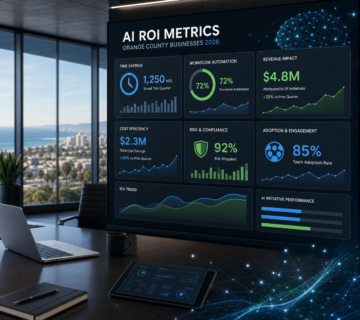
Once a workflow goes live, the project is not finished. Leadership should expect clear, ongoing metrics that show whether the automation is delivering the value it was built for: volume processed without human intervention, error rates compared to the previous manual process, time saved per cycle, and the rate at which the system correctly escalates genuinely ambiguous cases rather than either guessing or over-escalating routine ones back to staff.
Without these metrics, it becomes difficult to tell whether an automation initiative is actually succeeding or simply running quietly in the background without anyone verifying its accuracy. A mature AI workflow automation consulting engagement builds this measurement into the project from the outset rather than treating it as optional reporting added later.
Getting Started
The fastest path to a useful first project is identifying one high-frequency, well-understood process that currently consumes disproportionate staff time, and scoping a focused pilot around it rather than attempting a company-wide transformation on day one. Most leadership teams already know, without any formal analysis, which process generates the most quiet frustration across their staff — that instinct is usually a reasonable starting point for the conversation, even before the formal prioritization exercise confirms it.
Discuss an automation opportunity with Technijian to identify where AI workflow automation consulting would deliver the clearest return in your business.
Frequently Asked Questions
Do we need a large IT team to adopt AI workflow automation?
No. Most consulting engagements are designed to integrate with your existing systems and require only a small amount of internal involvement, mainly from the staff who understand the process being automated, not a dedicated technical team.
Is AI workflow automation only useful for large enterprises?
Smaller businesses often see faster, more visible returns because a single automated process can free up a meaningful share of a lean team’s total capacity, compared to a large enterprise where the same process is a smaller fraction of overall headcount. A ten-person team that reclaims even a few hours a week per employee notices the difference immediately in what the business can take on next.
What happens when the AI component makes a mistake?
Well-designed workflows include confidence thresholds and human checkpoints for uncertain or high-stakes cases, so the AI handles the clear majority of routine cases while flagging anything ambiguous for human review rather than guessing. Over time, those flagged cases also become useful data for refining the workflow further, since recurring edge cases often reveal a rule that should simply be added to the automation outright.
How is this different from just using a general AI chatbot?
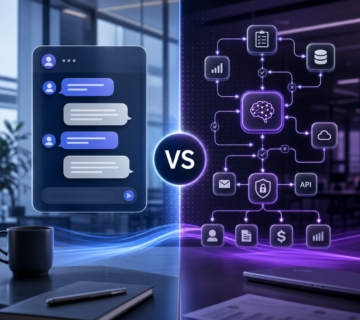
A chatbot responds to individual queries. AI workflow automation builds a complete, repeatable process around a specific business function, integrating with your actual systems and handling a defined task end to end rather than answering one question at a time.
How do we know which process to automate first if several feel equally urgent?
Run each candidate through the prioritization framework above rather than relying on gut feel alone. In practice, the process that combines high frequency, clear documentation, and painful error costs almost always surfaces as the strongest starting point once the comparison is made explicit, even when several options initially feel equally pressing to leadership.