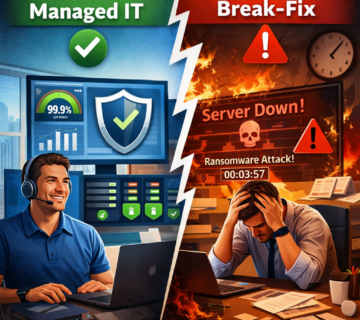
Managed IT Services in Orange County: Preventing Recurring Business Disruptions
Dive Deeper with Our Podcast!
Listen to the Episode: Managed IT Services in Orange County: Preventing Recurring Business Disruptions
Most businesses don’t lose time to one catastrophic outage — they lose it to the same small disruptions happening over and over: a server that needs a restart every few weeks, a VPN that drops during busy hours, a vendor renewal that gets missed and locks out a critical tool. Managed IT services Orange County businesses rely on exist specifically to break that cycle, because a dedicated IT team treats the recurring problem as the actual issue, not the individual incidents.
This article looks at why recurring disruption happens in the first place, what changes when a business moves from reactive, ad-hoc support to a dedicated IT team, and how owners, COOs, and IT directors can tell the difference between a provider that’s actually fixing root causes and one that’s just answering tickets faster. It also covers what a realistic transition timeline looks like, so expectations are set correctly before any commitment is made.
Why the Same IT Problems Keep Coming Back
Recurring disruption is rarely random. It’s usually a symptom of one of a few underlying patterns that a part-time, reactive, or internally stretched IT setup doesn’t have the bandwidth to address:
- No one owns the root cause. A ticket gets closed when the symptom goes away, not when the underlying configuration, capacity, or software issue causing it gets fixed.
- Monitoring is missing or ignored. Without 24/7 monitoring, a failing drive, a maxed-out server resource, or a certificate about to expire isn’t caught until it causes an outage.
- Documentation lives in someone’s head. When the one person who understands a system is unavailable, every related issue takes longer to resolve and more likely to recur.
- Patch and maintenance windows get skipped. Under-resourced teams defer routine maintenance until it becomes an emergency, which is a far more expensive way to do the same work.
- Vendor and license management is reactive. Renewals, certificate expirations, and end-of-support deadlines get missed because no one is tracking them proactively.
What a Dedicated IT Team Actually Changes
A dedicated IT team — whether fully outsourced, co-managed alongside an internal department, or a hybrid model — changes the operating model from reactive to proactive. The difference shows up in a handful of concrete practices:
Root-Cause Tracking, Not Just Ticket Closure
Every recurring issue gets logged against the asset or system causing it, not just the symptom reported. If the same server reboots three times in a month, that pattern triggers a root-cause investigation instead of three separate, unconnected tickets.
24/7 Monitoring and Alerting
Automated monitoring catches failing hardware, resource exhaustion, and security anomalies before they cause downtime — often resolving the issue during off-hours before anyone in the business notices.
A Documented, Living Environment
Network diagrams, system configurations, and vendor contacts are documented and kept current, so any technician on the team can resolve an issue quickly instead of being blocked waiting on one specific person.
Scheduled Maintenance as a Standing Process
Patching, firmware updates, and backup verification happen on a fixed cadence rather than whenever time allows, which is what actually prevents the “we’ll get to it next cycle” gap that leads to outages and security incidents.
Proactive Vendor and License Management
Renewal dates, support contract expirations, and end-of-life hardware timelines are tracked against a calendar, not discovered when something suddenly stops working.
What This Means by Role
- Business owners get predictable costs and fewer surprise outages that interrupt revenue-generating work.
- COOs get an operational partner who treats uptime as a measurable commitment, not a best-effort promise.
- IT directors get a team that extends internal capacity — handling routine maintenance and monitoring so internal staff can focus on strategic projects instead of firefighting the same issues every month.
A Simple Test: Is Your Current Support Reactive or Proactive?
A few questions can usually tell you which model your business is actually operating under right now:
- Do you find out about a system issue from a monitoring alert, or from an employee who can’t work?
- Can you point to a documented maintenance schedule, or does patching happen “when there’s time”?
- If your primary IT contact were unavailable for two weeks, would anything slip?
- Do you have a current inventory of every vendor renewal and support contract expiration date?
- When the same issue happens twice, does someone investigate why, or does it just get fixed again?
If more than one of these points to “reactive,” that’s the gap managed IT services Orange County businesses use a dedicated team to close.
Recurring Disruption Has a Real Cost
It’s easy to underweight small, repeated disruptions because no single incident looks severe enough to prioritize fixing. Added up over a quarter, the cost usually includes:
- Lost staff productivity — minutes or hours lost each time a recurring issue interrupts work, multiplied across every employee affected.
- Delayed client or customer work — missed deadlines or slower response times that are harder to see on a balance sheet but directly affect retention.
- Emergency support premiums — reactive, after-hours fixes typically cost more than the same work done proactively during a scheduled window.
- Compounding risk — an unresolved root cause doesn’t stay the same size; a minor capacity issue today can become a security incident or full outage later.
How to Evaluate a Dedicated IT Team Before Committing
Not every managed IT provider actually operates this way. Before signing on, it’s worth asking a prospective team directly:
- How do you track and report on recurring issues, and can you show me an example?
- What does your monitoring stack cover, and what’s the average time between an alert and a resolution?
- How is documentation maintained, and can our team access it directly?
- What does your patch and maintenance schedule look like, and how is it communicated in advance?
- Can you work alongside our existing internal IT staff, or does engaging you require replacing them?
A provider that answers these with specifics — not generalities — is one actually built around preventing recurring disruption rather than just responding faster when it happens.
What Proactive Support Actually Looks Like Week to Week
“Proactive” is easy to claim and hard to verify from the outside. In practice, a dedicated IT team running managed IT services Orange County businesses can measure against usually produces a visible, recurring rhythm of work rather than a pile of closed tickets:
- Monday: Overnight monitoring alerts from the weekend are reviewed and triaged before staff log in, so any issue that surfaced off-hours is already being worked.
- Midweek: A scheduled maintenance window handles patching, firmware updates, and backup-integrity checks on a rotation, so no single week carries the full workload.
- End of week: A short report goes to the business or IT director summarizing what was resolved, what’s trending (including any issue that’s recurred more than once), and what’s scheduled for the following week.
- Monthly: A review of vendor contracts, license renewals, and end-of-support hardware against the calendar, flagging anything approaching a deadline before it becomes urgent.
The specific cadence varies by provider, but the underlying signal is the same: work is scheduled and visible, not invisible until something breaks.
Industry Patterns Worth Knowing
Recurring disruption shows up differently depending on the type of business:
- Professional services (legal, accounting, consulting): Billable-hour work is directly interrupted by any system outage, making even short, recurring slowdowns measurably expensive against utilization targets.
- Healthcare and medical practices: Scheduling and records systems being unavailable doesn’t just cost staff time — it can delay patient care and create compliance exposure tied to data availability requirements.
- Manufacturing and logistics: Business IT and operational systems are often more interconnected than leadership assumes, so a network issue in one can cascade into the other.
- Retail and hospitality: Point-of-sale and booking system reliability has a direct, same-day revenue impact that’s easy to measure and easy to underinvest in preventing.
Whatever the industry, the specific mix of in-house and outsourced support that makes sense depends on where recurring disruption is actually concentrated — which is exactly what an initial environment audit is meant to surface.
Where to Start: An Environment Audit, Not a Sales Pitch
The lowest-risk way to evaluate whether a dedicated IT team would actually reduce recurring disruption in your business is an environment audit — a structured review of current infrastructure, open tickets, patch status, backup configuration, and vendor contracts, done before any commitment to switch providers. A credible provider will do this and show you the findings, including the patterns they’d prioritize fixing first, rather than leading with a proposal. Treating IT reliability as a documented, ongoing discipline rather than an occasional cleanup project is consistent with general cybersecurity and operational resilience guidance published for small and mid-sized organizations.
A Realistic 90-Day Transition Timeline
Businesses evaluating managed IT services Orange County providers offer often ask how long it takes before recurring issues actually start dropping off. A realistic timeline looks roughly like this:
- Weeks 1-2: Environment audit and onboarding — full inventory of hardware, software, licenses, and current pain points, plus deployment of monitoring agents across the network.
- Weeks 3-4: Documentation gaps get closed, monitoring thresholds get tuned to the environment, and the most visible recurring issues identified during the audit get root-caused and addressed.
- Month 2: A regular maintenance cadence is fully in place — patching windows, backup verification, and vendor-renewal tracking are running on schedule rather than being caught up on.
- Month 3: Reporting shows a measurable drop in repeat tickets against the same root cause, and the relationship shifts from “stabilizing the environment” to ongoing prevention and planning.
Businesses that skip the audit phase and jump straight to a new support contract typically see a slower, less predictable improvement, because the new team is still discovering root causes reactively instead of starting from a documented baseline.
Frequently Asked Questions
What’s the difference between managed IT services and a break-fix IT provider?
Break-fix support responds to problems after they happen and bills per incident, which creates no incentive to prevent the same issue from recurring. Managed IT services Orange County businesses use typically include proactive monitoring, scheduled maintenance, and a flat-fee or predictable pricing model, which aligns the provider’s incentives with actually reducing how often things break.
Can a dedicated IT team work alongside our existing internal IT staff?
Yes — this is usually called a co-managed model. The outsourced team typically handles 24/7 monitoring, routine maintenance, and overflow capacity, while internal staff focus on strategic projects and business-specific systems they already know well.
How long does it take to see a reduction in recurring issues after switching providers?
Most businesses see measurable improvement within the first 60 to 90 days, once the new team completes an initial environment audit, closes the most visible monitoring and documentation gaps, and establishes a regular maintenance cadence.
Is this approach only practical for larger businesses?
No. Small and mid-sized businesses often see the largest relative benefit, since they typically have the least internal redundancy — a single recurring issue can consume a disproportionate share of a small team’s time until it’s properly root-caused and fixed.
What happens after the first 90 days — does it stay this hands-on?
The intensity of work typically shifts rather than drops off entirely. Early months are heavier on discovery and cleanup; afterward, the focus moves to sustaining the maintenance cadence, watching trend data for early signs of new recurring patterns, and planning ahead for hardware refresh cycles, software end-of-life dates, and capacity needs tied to business growth. A dedicated IT team that stops reporting or stops flagging upcoming risks after the initial stabilization period is a sign the relationship has quietly slipped back toward reactive support.
See if a dedicated team fits your environment: talk to Technijian about a no-obligation IT assessment and get a clear picture of which recurring issues are costing your business the most.