
Enhancing Protection with Microsoft 365 Security

Microsoft 365 Security offers robust tools and solutions to safeguard your organization’s data and infrastructure. With features like multi-factor authentication (MFA), advanced threat protection (ATP), and data loss prevention (DLP), it ensures comprehensive security across email, cloud storage, and collaboration tools. Microsoft 365’s zero-trust approach protects against unauthorized access, while real-time analytics enable proactive threat detection.

By leveraging Microsoft 365 Security, businesses can maintain compliance, reduce risks, and protect sensitive information in today’s dynamic digital landscape.

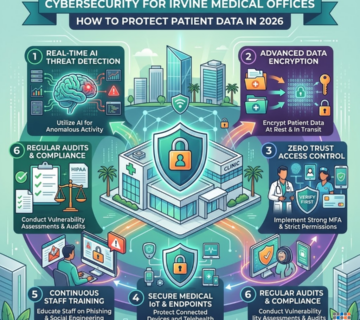
Cybersecurity for Irvine Medical Offices

Cybersecurity for Irvine Medical Offices: How to Protect Patient Data

Medical practices in Irvine are among the most targeted businesses for cyberattacks. Patient records sell for 10–50x the value of a credit card on the dark web, and most small clinics lack the IT security to defend against today's threats. The biggest risks facing Irvine healthcare offices in 2026 include ransomware, phishing emails, unsecured medical devices, insider threats, and cloud misconfigurations — any one of which can trigger a costly HIPAA breach. The average healthcare data breach now costs $10.9 million, and the Office for Civil Rights (OCR) is actively auditing small California practices. Under the HIPAA Security Rule, every medical office must have administrative, physical, and technical safeguards in place — covering everything from staff training and access controls to encryption and data backups. Penalties for non-compliance can reach $1.9 million per violation category. Technijian helps Irvine medical offices close these gaps fast with services including HIPAA Risk Assessments, 24/7 Managed Detection & Response, Penetration Testing, Security Awareness Training, and Microsoft 365 hardening — all built for healthcare environments in Orange County. ... Read More
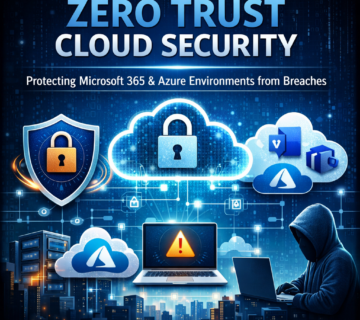
Zero Trust Cloud Security: Protecting Microsoft 365 & Azure Environments from Breaches

Zero Trust Cloud Security: Protecting Microsoft 365 & Azure Environments from Breaches

Zero Trust cloud security represents a fundamental shift from traditional perimeter-based defenses to continuous verification of every access request. This comprehensive guide explores implementing Zero Trust principles across Microsoft 365 and Azure environments to prevent data breaches, unauthorized access, and insider threats. Organizations adopting Zero Trust architecture reduce breach impact by 50% through identity-based access controls, continuous monitoring, and micro-segmentation. Learn practical implementation steps, Azure security best practices, and Microsoft 365 identity protection strategies that transform your hybrid cloud infrastructure into a resilient security ecosystem. Discover how Cloud Security & Identity Access Management solutions provide the framework for protecting critical business data across distributed workforces. ... Read More
Securing the Cloud Edge: 5 Steps to Protect Your Azure and Microsoft 365 Data from Breaches

Securing the Cloud Edge: 5 Steps to Protect Your Azure and Microsoft 365 Data from Breaches

Five critical steps for securing the cloud edge—the dynamic boundary where an organization’s systems meet cloud services like Microsoft 365 and Azure. It emphasizes that traditional security measures are insufficient against modern cyber threats, such as sophisticated ransomware and credential theft, which cost businesses millions annually. The recommended strategy centers on implementing a layered defense, beginning with Zero Trust architecture and optimizing tools like Microsoft Defender and Azure Sentinel for advanced threat detection and response. The text specifically targets businesses in Southern California, particularly those in regulated industries, outlining steps for securing Azure infrastructure and establishing continuous monitoring and incident response capabilities to meet compliance and operational needs. ... Read More
Securing Microsoft Copilot: Data Governance for SharePoint and Teams

Copilot Security Checklist: How to Protect SharePoint and Teams Data Before Enabling AI

A critical overview of the security challenges posed by deploying Microsoft Copilot for Microsoft 365, particularly concerning data stored in SharePoint and Teams. It warns that Copilot, which respects existing permissions, will expose any confidential data that has been overshared due to accumulated permission sprawl, necessitating proactive measures before enablement. The text outlines a comprehensive 12-step security playbook, which includes conducting permission audits, implementing the principle of least privilege, deploying Microsoft Purview Sensitivity Labels and Data Loss Prevention (DLP) policies, and establishing continuous monitoring. Finally, the source promotes the services of Technijian, an SMB-focused managed IT provider, which offers expertise in implementing these security measures, ensuring clients achieve compliance and maximize their return on investment by securely adopting AI technology. ... Read More
VoidProxy

VoidProxy: The Emerging Threat Targeting Microsoft 365 and Google Workspace Users

VoidProxy, a sophisticated “phishing-as-a-service” platform that targets Microsoft 365 and Google Workspace users. This threat distinguishes itself by operating as a real-time proxy, enabling attackers to intercept not only usernames and passwords, but also multi-factor authentication tokens and active session cookies. The platform utilizes compromised email marketing accounts, sophisticated redirection chains, and Cloudflare infrastructure to bypass traditional security measures and present convincing phishing pages. Technijian, an IT services provider, is introduced as a resource for organizations to implement robust cybersecurity defenses against such advanced threats, offering solutions like phishing-resistant authentication, risk-based access controls, and incident response. ... Read More