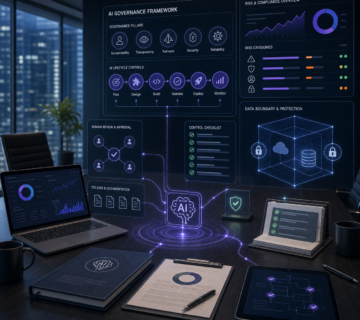
Enterprise AI Guide 2026: Smart Businesses Are Scaling with Artificial Intelligence
🎙️ Dive Deeper with Our Podcast!
Summary
Enterprise AI is the use of AI inside core business processes, with governance, integration and measurable goals. It differs from personal AI tools. This guide explains what that means, the elements of a workable program, common use cases, and a step-by-step way to start. It also covers how AI solutions from a managed IT partner can fit in, with scope to be confirmed in contract.
Why Enterprise AI Is on the Leadership Agenda
For leaders considering AI, the practical question is where it would help the business. Vendors, buzzwords and competing claims make selection difficult.
Results vary widely by organization. Outcomes depend on data quality, process fit, staff adoption and how well the use case was chosen. Treat any efficiency figure from a vendor as a hypothesis to test in your own environment, not a promise.
A structured approach helps. Start with the business problem, check data and risk, run a small pilot, then scale what works.
Enterprise AI vs. Consumer AI
Consumer AI includes virtual assistants, product recommendations and grammar tools. These help individuals. Enterprise AI changes how a department or process operates. Key differences:
- Scale: It must handle the workload you actually need, from a small team to connected business systems.
- Integration: It connects to ERP, CRM, HRIS and line-of-business systems. Decide whether staff need an integrated workflow or a separate tool.
- Governance: It needs privacy controls, audit trails, access controls and clear ownership of model behavior.
- Customization: It may use your own data through retrieval, configuration or fine-tuning. Test whether access to approved business information improves the answers. Fine-tuning is not required for every project.
- Accountability: Each deployment should tie to a business metric and a written hypothesis about the value it creates.
This distinction shapes technology selection, vendor contracts, budget and change management.
Five Elements of a Workable Enterprise AI Program
Review these areas before committing to a wider rollout.
1. Data Infrastructure and Quality
AI output depends on the data behind it. Before deploying anything, document where data lives, how clean and consistent it is, who can access it, and what retention policies apply.
Siloed systems, inconsistent data entry and legacy platforms often create problems here. Fixing them is unglamorous, but later work depends on it.
2. Use Case Prioritization
Trying to launch AI in every department at once scatters resources. Score each candidate on three factors:
- Value: What is the benefit if the AI performs as expected?
- Feasibility: Do you have the data and technology readiness today?
- Capacity: Can the affected team absorb the change now?
Start with two or three use cases that score well on all three. This builds internal skill and gives you evidence before you scale.
3. Technology Selection and Integration
Many software products offer AI features. Evaluate options against your use cases, existing stack, data architecture and internal IT skills.
Integration can reduce extra steps, but it also adds access and maintenance requirements. Compare an integrated workflow with a separate tool during the pilot. Choose the approach that fits the task and the team.
4. Governance, Security and Compliance
AI adds risk categories to manage:
- Privacy: What data trains or feeds the model, and who can see outputs?
- Security: AI systems and their data connections can be targeted, including through prompt injection and data leakage.
- Operational: Outputs can be wrong or biased.
- Regulatory: AI-related rules continue to change at state and federal levels.
Define governance before production use. It is easier than retrofitting controls later. Regulated sectors such as healthcare, financial services and legal services should involve compliance or legal counsel early.
5. Change Management and Workforce Enablement
An AI implementation also changes how people work. Staff need to understand the tool, its limits and their responsibilities.
Plan for clear communication about what AI will and will not do, role-based training, and visible leadership use of the tools. Use feedback from the pilot to improve training and the workflow.
Common Enterprise AI Use Cases
Customer Service and Support Automation
AI assistants can answer routine questions, draft replies and route tickets. Human review remains important for sensitive or high-impact cases. Measure handle time, resolution rate and customer satisfaction before and after, using your own baseline.
Predictive Analytics and Business Intelligence
Models can flag patterns in operational and financial data. Typical applications include churn risk, demand forecasting, supply chain disruption signals and anomaly detection for fraud or error. Forecast quality depends on the data feeding it.
Document Processing and Workflow Automation
Contracts, invoices, compliance filings, patient records and loan applications are document-heavy. AI can classify documents, extract fields and route them for approval. Build a human review step for low-confidence results and for regulated content.
AI-Assisted Cybersecurity
Security tools use machine learning to analyze network behavior, user activity and threat intelligence. They can help analysts triage alerts faster. They supplement, not replace, core controls such as patching, multi-factor authentication, backups and incident response planning.
Productivity and Collaboration
Writing assistants, meeting summaries, scheduling and code assistants are built into tools staff already use. Adoption is easier, but you still need policies on what data can be entered and how outputs are checked.
Considerations for California and Orange County Businesses
California has active privacy regulation, and AI-related rules continue to develop. Privacy law such as the California Privacy Rights Act (CPRA) and related regulations may affect automated decision-making, depending on your business and use case. Confirm applicability with qualified legal counsel. Build compliance review into the program from the start, and track regulatory changes.
Businesses can combine internal ownership with an outside partner for implementation and ongoing support. Orange County industries including healthcare, financial services, real estate, manufacturing, professional services and retail each have different data sensitivity and compliance needs, so use cases should be chosen accordingly.
How to Build Your Enterprise AI Roadmap
Follow these steps in order.
- Establish a baseline. Inventory your infrastructure, data quality, governance maturity and staff AI literacy. Check which AI features already exist in tools you license.
- Tie AI to strategy. Link each candidate to a priority such as growth, efficiency, customer experience or risk reduction. Define the success metric before work begins.
- Pick two or three use cases. Choose ones with usable data, an engaged business owner, a clear definition of success and a realistic timeline. Run them as short, iterative pilots with review points so you can adjust or stop.
- Set governance before production. Write data access policies, model monitoring routines, an escalation path for AI errors and rules for explaining AI-assisted decisions to staff, customers or regulators.
- Decide on build vs. partner. Choose which capabilities to keep in-house and which to outsource. Ask potential partners for scope, responsibilities, data handling terms and exit provisions in writing.
- Review and scale. Compare pilot results to the baseline. Expand only what meets the metric, and retire what does not.
How Technijian Can Help
Technijian is a managed IT services provider based in Irvine, California, serving Orange County and Southern California since 2000. It supports AI planning and delivery alongside IT, cloud and security services. Specific deliverables, responsibilities, timelines and fees should be confirmed in your contract.
Areas of support may include the following, subject to agreed scope:
- Readiness assessment: Review of data, infrastructure, governance and candidate use cases.
- AI strategy and use case prioritization: Aligning options with business goals and organizational capacity.
- Technology evaluation: Comparing platforms against your requirements.
- Implementation: Data preparation, system integration, deployment and user training.
- Governance and compliance support: Policies and controls that account for applicable privacy requirements.
- Security integration: Connecting AI-assisted detection tools to existing security infrastructure.
- Training and change management: Helping teams understand and use the tools.
- Ongoing managed support: Monitoring and tuning after launch, if included in your agreement.
The company serves businesses in Irvine, Anaheim, Santa Ana, Newport Beach, Costa Mesa, Huntington Beach and the greater Los Angeles area.
Frequently Asked Questions About Enterprise AI
1. How is enterprise AI different from the AI in Microsoft 365 or our CRM?
Built-in AI features are designed for general use within one platform. An enterprise AI program applies your business goals and controls to the selected tools. It may use built-in features, custom integrations or both. Embedded features are often a good first step. Custom work makes sense when a process spans several systems or needs tailored controls.
2. What budget should we plan?
It depends on scope, data condition, existing infrastructure and whether you use off-the-shelf or custom solutions. Costs include licenses, integration, data work, security, training and ongoing support. A readiness assessment and vendor quotes for a defined pilot give a more reliable estimate than a generic range.
3. How long until we see results?
Timing depends on use case complexity and data readiness. A narrow use case with clean data can show early indicators sooner. Projects needing integration or data cleanup take longer. Set milestones and success metrics before starting, and review them at each phase.
4. How are data privacy and security handled in AI projects?
Start by mapping what data will be used, where it lives, who can access it and which requirements apply. Then apply controls such as access restrictions, encryption, logging and vendor data-handling terms. Monitor for unexpected data access or model behavior. For California businesses, review CPRA and related obligations with legal counsel. Specific security and compliance responsibilities should be written into the contract.
5. We tried AI before and it did not work. Why would this time differ?
Common causes of failed projects include starting with the technology instead of a business problem, poor data quality, overly complex first use cases, weak governance and no plan for adoption. Review what went wrong last time. Then narrow the scope, define metrics, fix data prerequisites and plan training before trying again. No approach removes the risk entirely.
6. How do we get employees to adopt AI tools?
Explain what the tool does and why it was introduced. Provide role-specific training. Involve users in the pilot and collect their feedback. Have leaders use the tools openly. Set clear rules on acceptable use and on verifying AI output. Track actual usage, not just license counts.
7. Should we build in-house or work with a partner?
Many organizations use a hybrid model. Keep strategic ownership, business knowledge and basic AI literacy internally. Use a partner for specialized implementation, integration or ongoing operations where you lack capacity. An in-house team needs appropriate skills and ongoing training. Consider workload and capacity rather than company size alone. Whichever route you choose, define who is accountable for data, models and outcomes.
Next Step
Begin with a baseline review and one or two well-defined pilots. If you want outside help scoping them, you can contact Technijian at (949) 379-8500 or through technijian.com to ask about a consultation. Confirm what the consultation covers, and any associated terms, when you schedule it.