CrashFix Attacks: New Browser-Crashing Malware Threatens
🎙️ Dive Deeper with Our Podcast!
Browser security has taken a dangerous turn with the emergence of CrashFix attacks, a sophisticated malware campaign that intentionally crashes your browser to trick you into installing harmful software. This new threat demonstrates how cybercriminals continue to evolve their tactics, making it crucial for both individuals and organizations to stay informed about emerging digital threats.
Understanding the NexShield Deception
Cybercriminals recently launched a malicious campaign using a counterfeit browser extension called NexShield. The attackers designed this fake ad blocker to appear legitimate by falsely claiming association with Raymond Hill, the respected creator of uBlock Origin, which serves over 14 million users worldwide.
The fraudulent extension was briefly available on the Chrome Web Store before being removed. Its professional-looking website and convincing branding made it difficult for average users to distinguish from legitimate security tools.
This threat is more pernicious because of its dual-purpose design. First, it masquerades as a helpful privacy tool that users willingly install. Then, it weaponizes itself against the very people who trusted it.
How CrashFix Attacks Work
The attack mechanism behind CrashFix represents a new evolution in social engineering tactics. Unlike traditional malware that operates silently in the background, this threat actively sabotages your browsing experience to create a sense of urgency.
The Browser Crash Mechanism
Once installed, NexShield triggers a denial-of-service condition directly within your browser. The extension creates an endless loop of runtime port connections, rapidly consuming available memory resources. Users experience frozen tabs, skyrocketing CPU usage, excessive RAM consumption, and complete browser unresponsiveness.
Eventually, the browser becomes so unstable that it crashes entirely. Many users find themselves forced to terminate the process through Windows Task Manager, creating a frustrating and concerning experience.
The Deceptive Recovery Process
The real attack begins when you restart your browser. NexShield immediately displays an alarming pop-up warning about supposed security threats detected on your system. The message appears professional and urgent, designed to trigger an emotional response that bypasses rational thinking.
The fake warning directs users to scan their system to locate the alleged problem. Following these instructions opens another window with fabricated security alerts and step-by-step “fix” instructions.
The Malicious Payload Delivery
Following the classic ClickFix methodology, the extension automatically copies malicious commands to your clipboard. The instructions tell users to simply press Ctrl+V in Command Prompt and execute the command, making the process seem quick and harmless.
This command chain triggers an obfuscated PowerShell script through a remote connection. The script downloads and executes additional malicious code on your system, establishing a foothold for the attackers.
To avoid immediate detection and connection to the extension, the payload includes a 60-minute delay after NexShield installation. This time gap makes it harder for users to identify the source of the infection.
ModeloRAT: The Corporate Network Threat
The ultimate goal of CrashFix attacks targeting corporate environments is deploying ModeloRAT, a Python-based remote access tool with extensive capabilities.
ModeloRAT Capabilities
This sophisticated malware performs comprehensive system reconnaissance, gathering detailed information about the infected machine and network. It executes PowerShell commands remotely, allowing attackers to perform virtually any action on the compromised system.
The tool modifies Windows Registry settings to establish persistence and evade detection. It can introduce additional malicious payloads, expanding the scope of the compromise. ModeloRAT also includes self-update functionality, allowing attackers to enhance its capabilities over time.
Targeted Attack Strategy
Security researchers discovered that the threat actors behind CrashFix employ a targeted approach. Domain-joined hosts, which typically indicate corporate environments, receive the full ModeloRAT payload. These systems represent higher-value targets for cybercriminals seeking financial gain or corporate espionage.
Non-domain hosts, generally home users, received only test messages during the observed campaign. This suggests attackers prioritize enterprise networks, which offer more lucrative opportunities through data theft, ransomware deployment, or prolonged network access.
The KongTuke Threat Actor Group
Cybersecurity researchers have attributed these CrashFix campaigns to a threat actor known as KongTuke. This group has been actively monitored since early 2025, showing consistent evolution in their attack methodologies.
Recent analysis indicates KongTuke is shifting focus toward enterprise targets. Their development of ModeloRAT specifically for corporate environments demonstrates increasing sophistication and ambition. This evolution suggests we may see more targeted attacks against businesses in the coming months.
Why CrashFix Is More Dangerous Than Traditional ClickFix
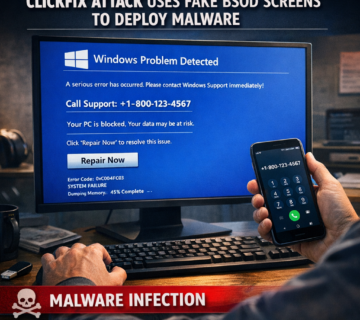
Earlier ClickFix variants relied on simulated errors, such as fake Blue Screen of Death displays using browser full-screen mode. While convincing, these remained simulations that tech-savvy users might recognize.
CrashFix changes this dynamic by causing genuine browser crashes. The actual system instability creates authentic symptoms that even experienced users might interpret as legitimate technical problems. This authenticity makes the subsequent fake warnings more believable and increases the likelihood of victims following the malicious instructions.
The psychological impact of experiencing a real crash cannot be understated. When your browser genuinely stops responding and you must force-close it, the fake security warnings that follow seem more credible and urgent.
Protecting Yourself and Your Organization
Prevention remains the most effective defense against CrashFix and similar attacks. Several practical steps can significantly reduce your vulnerability to these threats.
Verify Browser Extensions Carefully
Only install extensions from verified publishers with established reputations and substantial user bases. Check user reviews carefully, looking for patterns in feedback rather than just star ratings. Recent reviews matter more than historical ones, as legitimate extensions can be sold to malicious actors.
Research the developer’s background and verify their identity through official channels. Be skeptical of extensions claiming association with well-known developers, and cross-reference these claims with official sources.
Understand External Commands
Never execute commands copied from websites or browser prompts without fully understanding what they do. If a pop-up instructs you to paste and run commands in Command Prompt or PowerShell, treat it as highly suspicious.
Legitimate software vendors rarely ask users to execute command-line instructions as part of troubleshooting. When in doubt, contact your IT department or a trusted technical expert before proceeding.
Implement Corporate Security Policies
Organizations should enforce strict policies regarding browser extension installation. Consider using Group Policy or mobile device management solutions to restrict which extensions can be installed on corporate devices.
Employees that receive regular security awareness training are better able to identify social engineering techniques. Include specific examples of ClickFix and CrashFix attacks in your training materials to familiarize staff with these threats.
Complete System Cleanup After Infection
If you installed NexShield or suspect a CrashFix infection, simply uninstalling the extension is insufficient. The malware deploys additional payloads like ModeloRAT that persist independently of the browser extension.
Perform a comprehensive system scan using reputable anti-malware software. Consider rebuilding compromised systems from known-good backups, especially in corporate environments where data sensitivity is high.
Change all passwords from a clean, uninfected device. Assume that any credentials entered on the compromised system may have been captured by the attackers.
Recognizing the Warning Signs
Early detection can prevent CrashFix attacks from succeeding. Watch for unusual browser behavior, including unexpected crashes or freezes, especially after installing new extensions. Excessive memory or CPU usage from browser processes deserves investigation.
Unsolicited pop-ups requesting command-line execution should trigger immediate suspicion. Legitimate security software operates through its own interfaces, not browser pop-ups with manual command instructions.
If a recently installed extension corresponds with system instability, remove it immediately and investigate further. Trust your instincts when something feels wrong with your system’s behavior.
The Broader Implications for Cybersecurity
CrashFix attacks represent a concerning evolution in social engineering techniques. By combining legitimate-seeming tools with artificial system problems, attackers exploit both trust and fear to manipulate victims.
This trend suggests that future attacks will continue blurring the line between genuine technical issues and manufactured problems designed to facilitate malware installation. As users become more security-conscious, attackers must develop more sophisticated deception methods.
The targeting of corporate networks with specialized tools like ModeloRAT indicates that cybercriminals increasingly view businesses as primary targets. Small and medium-sized organizations, which may lack robust security infrastructure, face particular risk.
Frequently Asked Questions
What should I do if I already installed NexShield?
Immediately uninstall the extension and perform a complete system scan with updated antivirus software. Change every password using a fresh, new device. Consider seeking professional help to ensure complete removal of all malicious components, as the extension deploys additional payloads that remain after uninstallation.
How can I tell if a browser extension is legitimate?
Check the developer’s verified status, read recent user reviews carefully, and research the developer’s background. Compare the extension’s description and branding against official sources if it claims association with known projects. Be particularly cautious of extensions with few reviews or those recently published.
Can Mac users be affected by CrashFix attacks?
While the documented campaigns targeted Chrome and Edge on Windows systems, the underlying technique could potentially be adapted for other platforms. Mac users should still exercise caution when installing browser extensions and remain alert for unusual browser behavior.
Does antivirus software protect against CrashFix?
Quality antivirus software may detect and block known variants of the malicious payloads, but it might not prevent installation of the initial browser extension. The most effective protection combines technical security tools with user awareness and careful evaluation of extensions before installation.
Why do attackers target corporate networks specifically?
Corporate networks provide access to valuable data, financial resources, and potentially hundreds of connected systems. Business email compromise, ransomware deployment, and intellectual property theft offer significantly higher financial returns than targeting individual home users.
How long does ModeloRAT remain on an infected system?
ModeloRAT is designed for persistence, meaning it attempts to survive system reboots and remain hidden from casual detection. Without proper removal procedures, it can persist indefinitely, providing ongoing access to attackers. Professional malware removal or system rebuilding is often necessary for complete elimination.
Are there legitimate extensions that crash browsers?
Poorly coded or incompatible extensions might cause crashes accidentally, but no legitimate extension intentionally crashes your browser. Any extension that consistently causes crashes should be removed and reported to the browser vendor.
What information does ModeloRAT collect from infected systems?
ModeloRAT performs comprehensive system reconnaissance, gathering details about hardware, software, network configuration, user accounts, and system privileges. This information helps attackers understand the compromised environment and plan further attacks or data theft.
How Technijian Can Help
At Technijian, we understand that cybersecurity threats like CrashFix attacks pose serious risks to both individuals and organizations. Our team of experienced security professionals provides comprehensive protection against evolving malware threats and social engineering campaigns.
We offer thorough security assessments to identify vulnerabilities in your systems before attackers can exploit them. Our experts evaluate your current browser security policies, extension management practices, and employee awareness levels to create a complete picture of your security posture.
If you’ve experienced a CrashFix infection or suspect malware on your systems, our incident response team provides rapid malware removal and system remediation services. We don’t just remove the visible threats—we conduct deep forensic analysis to ensure complete eradication of all malicious components, including persistent threats like ModeloRAT.
Our security awareness training programs educate your team to recognize and avoid social engineering attacks. We use real-world examples, including the latest threats like CrashFix, to ensure your employees can identify suspicious activity before it compromises your network.
For organizations seeking ongoing protection, we provide managed security services that include continuous monitoring, threat intelligence updates, and proactive defense strategies. Our team stays current with emerging threats, ensuring your defenses evolve alongside the threat landscape.
We also implement robust security policies and technical controls to prevent unauthorized extension installations and restrict command-line access on corporate devices. These preventive measures stop attacks like CrashFix before they can gain a foothold in your environment.
Don’t wait for a security incident to prioritize your digital safety. Contact Technijian today for a free security consultation and learn how we can protect your systems, data, and peace of mind from sophisticated threats like CrashFix and beyond. Your security is our mission.
About Technijian
Technijian is a premier managed IT services provider in Irvine, specializing in delivering secure, scalable, and innovative AI, SEO, and technology solutions across Orange County and Southern California. Founded in 2000 by Ravi Jain, what started as a one-man IT shop has evolved into a trusted technology partner with teams of engineers, AI specialists, cybersecurity professionals, and digital marketing experts both in the U.S. and internationally.
Headquartered in Irvine, we provide comprehensive cybersecurity solutions, IT support, AI implementation services, cloud services, and search engine optimization (SEO) and digital visibility solutions throughout Orange County—from Aliso Viejo, Anaheim, Costa Mesa, and Fountain Valley to Newport Beach, Santa Ana, Tustin, and beyond. Our extensive experience with enterprise telecommunications and security deployments, combined with our expertise in SEO-driven growth strategies and our deep understanding of local business needs, makes us the ideal partner for organizations seeking solutions that deliver real protection, online visibility, and operational efficiency.
We work closely with clients across diverse industries, including healthcare, finance, law, retail, and professional services, to design integrated technology and SEO strategies that reduce risk, enhance productivity, improve search rankings, and strengthen digital presence while maintaining the highest protection standards. Our Irvine-based office remains our primary hub, delivering the personalized service and responsive support that businesses across Orange County have relied on for over two decades.
With expertise spanning cybersecurity, managed IT services, telecommunications, AI implementation, SEO and digital marketing, consulting, and cloud solutions, Technijian has become the go-to partner for small to medium businesses seeking reliable technology infrastructure and measurable online growth. Whether you need 3CX deployment in Irvine, telecommunications optimization in Santa Ana, IT consulting in Anaheim, or SEO services to increase visibility and lead generation, we deliver solutions that align with your business goals and operational requirements.
Partner with Technijian and experience the difference of a local IT company that combines global technology expertise, SEO-driven growth, and community-focused service. Our mission is to help businesses across Irvine, Orange County, and Southern California harness the power of advanced technology and digital marketing to stay protected, visible, efficient, and competitive in today’s digital world.