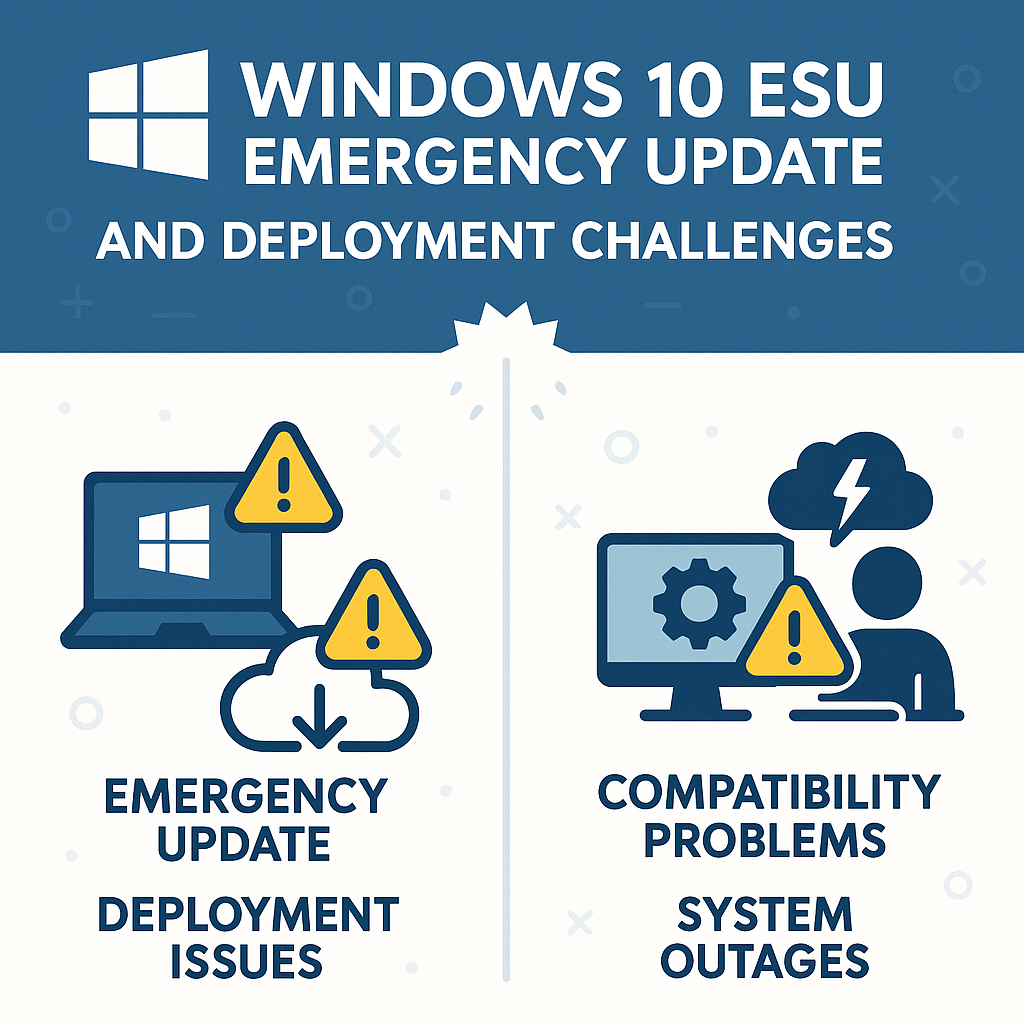
Windows 10 OOB Update Released to Fix Critical Message Queuing (MSMQ) Issues
🎙️ Dive Deeper with Our Podcast!
Microsoft has issued an emergency out-of-band update to address critical Message Queuing service failures affecting Windows 10 enterprise environments. The December 2025 patch Tuesday update inadvertently broke MSMQ functionality, prompting rapid corrective action from the software giant.
For businesses relying on Windows 10 Extended Security Updates, understanding this issue and implementing the fix quickly is essential to maintaining operational continuity. This article examines what happened, who’s affected, and how to resolve MSMQ failures in your environment.
What Is Message Queuing and Why Does It Matter?
Message Queuing (MSMQ) serves as a critical Windows component that enables asynchronous communication between applications across distributed systems. Enterprise organizations depend on MSMQ for several mission-critical functions that keep business operations running smoothly.
MSMQ provides reliable application communication when applications need to exchange data but don’t require immediate responses. The service ensures messages reach their destination even if networks experience temporary disruptions. Background task management represents another vital function—MSMQ handles job scheduling, transaction processing, and workflow automation across multiple systems without requiring constant network connectivity.
Many legacy business applications use MSMQ to communicate with modern systems, creating bridges between different technology generations. Financial systems, inventory management platforms, and order processing applications frequently rely on MSMQ to maintain data integrity across distributed transactions.
When MSMQ fails, these critical business processes grind to a halt. Applications lose the ability to communicate, transactions fail, and background tasks accumulate without processing. The resulting operational chaos impacts productivity and potentially revenue, making quick resolution of MSMQ issues a top priority for IT teams.
The December 2025 Patch Tuesday Problem
On December 9, 2025, Microsoft released its monthly security updates for Windows 10, including patches for systems enrolled in the Extended Security Update program. While these updates addressed various security vulnerabilities, they introduced an unexpected consequence that disrupted MSMQ functionality across enterprise environments.
The root cause appears to stem from security enhancements Microsoft implemented for MSMQ. Although the company hasn’t disclosed specific technical details, security-focused modifications to message handling likely created conflicts with existing MSMQ operations. Organizations running clustered MSMQ environments under heavy load experienced the most severe impacts.
Clustering amplifies MSMQ issues because multiple nodes attempt to access and manage shared message queues simultaneously. When the underlying service malfunctions, the entire cluster can experience cascading failures that affect all connected applications. The problem demonstrates how security improvements can inadvertently affect system functionality when testing doesn’t account for every real-world enterprise configuration.
Symptoms Your System May Be Experiencing
Organizations affected by this MSMQ issue will likely observe several telltale symptoms that indicate the service isn’t functioning properly.
Inactive message queues represent the most common symptom. Queues that previously processed messages reliably suddenly stop accepting new messages or delivering existing ones. Applications waiting for queue responses experience timeouts and failures, disrupting normal business workflows.
The system may generate insufficient resources errors, claiming inadequate disk space or memory even when ample resources are available. These false resource warnings indicate MSMQ’s inability to properly allocate or manage system resources. Programs attempting to write messages to queues receive error notifications, breaking application workflows that depend on queue-based communication.
The MSMQ service returns errors when applications attempt to create new messages, effectively blocking all new queue-based communications. For organizations running MSMQ clusters, the entire cluster may experience slowdowns, node failures, or complete service outages under normal operational loads.
These symptoms typically appear shortly after installing the December 9, 2025 updates. If your environment showed no MSMQ issues before that date but exhibited these problems afterward, the problematic update is almost certainly the culprit.
Who Needs This Out-of-Band Update?
Microsoft has clarified that this issue primarily affects specific Windows 10 configurations and use cases rather than all Windows users.
Windows 10 ESU subscribers face the most direct impact. Only systems enrolled in Extended Security Updates encounter this problem. Windows 10 reached end-of-support for mainstream users in October 2025, so organizations paying for continued security updates represent the primary affected population.
Enterprise and managed IT environments that use MSMQ for application integration, background processing, or distributed transactions need immediate attention. Home users and small businesses running Windows 10 Home or Pro on personal devices are unlikely to encounter this issue since MSMQ is rarely configured in those scenarios.
Organizations with custom MSMQ implementations require this fix to restore normal operations. Financial institutions, healthcare organizations, manufacturing facilities, and logistics companies with complex application ecosystems fall into this category. Environments running MSMQ in high-availability cluster configurations experience magnified impacts and should prioritize this update.
Organizations that don’t use MSMQ or haven’t enrolled in Windows 10 ESU can safely skip this update. However, uncertainty about whether your applications depend on MSMQ warrants consultation with your IT team or application vendors before dismissing this issue.
Understanding the KB5074976 Out-of-Band Update
Microsoft released update KB5074976 specifically to address these MSMQ failures. The “out-of-band” designation means this update was issued outside the normal Patch Tuesday schedule in response to a critical issue requiring immediate resolution.
This OOB update takes an unconventional distribution approach. Unlike typical Windows updates that automatically appear in Windows Update or Windows Server Update Services, KB5074976 is exclusively available through the Microsoft Update Catalog. This manual distribution method targets only organizations actively experiencing MSMQ issues rather than pushing the update universally.
The update reverses or modifies the security changes that disrupted MSMQ functionality while presumably maintaining the security improvements those changes intended to provide. Microsoft’s testing confirmed the update resolves message queue inactivity, eliminates false resource warnings, restores application write capabilities, and stabilizes clustered MSMQ environments under load.
How to Download and Install KB5074976
Since this update isn’t available through standard Windows Update channels, installation requires manual intervention and deliberate action from IT administrators.
First, access the Microsoft Update Catalog website using your web browser. This repository contains all Microsoft updates, including OOB releases not distributed through automated channels. Search for “KB5074976” in the catalog search field, ensuring you select the version matching your system architecture—either 32-bit or 64-bit Windows 10.
Click the download button for the appropriate version. The catalog will provide a direct download link for the standalone update package. For environments managing multiple systems, download the update once and transfer it to all affected machines via network shares or deployment tools.
Run the downloaded update package with administrative privileges. The installation process follows the standard Windows update procedure, requiring a system restart to complete. After rebooting, test your MSMQ-dependent applications to confirm normal operation has resumed. Monitor message queues for proper activity and verify that previously failing transactions now complete successfully.
Organizations managing multiple Windows 10 ESU systems should consider using deployment tools or scripts to streamline the installation process across your environment. This manual update distribution creates additional administrative overhead, but it’s necessary given the targeted nature of the fix.
Preventing Future MSMQ Disruptions
While this particular issue required Microsoft’s intervention to resolve, organizations can take proactive steps to minimize the impact of similar problems in the future.
Implementing comprehensive update testing stands as the first line of defense. Establish a testing environment that mirrors your production systems. Deploy monthly updates to test systems first, allowing sufficient time to identify problems before production rollout. Many organizations skip this step due to resource constraints, but the operational disruption from problematic updates often exceeds the cost of maintaining proper test environments.
Document MSMQ dependencies thoroughly. Maintain detailed documentation of which applications and business processes depend on MSMQ. This knowledge enables faster impact assessment when issues arise and helps justify testing investments to stakeholders who question IT infrastructure spending.
Monitor MSMQ health proactively rather than waiting for users to report problems. Implement monitoring solutions that track message queue depth, processing rates, and error conditions. Early detection of MSMQ issues minimizes business disruption and accelerates troubleshooting, often identifying problems before they affect end users.
Maintain rollback capabilities before deploying any update. Ensure you have verified rollback procedures even though Microsoft recommends against uninstalling security updates. Knowing your rollback options provides emergency alternatives if critical issues emerge that can’t be resolved quickly through other means.
Stay informed about known issues by reviewing Microsoft’s release notes and documentation before deploying updates. The company typically documents significant problems, giving you advance warning of potential disruptions. Subscribing to Microsoft security bulletins and participating in IT professional communities provides early awareness of emerging issues.
Organizations still running Windows 10 under ESU should develop migration plans to Windows 11. Extended support is temporary by design, and modern operating systems receive more thorough testing and support than legacy platforms in maintenance mode.
The Broader Context of Windows 10 Extended Security Updates
This MSMQ issue highlights important considerations for organizations relying on Windows 10 ESU that extend beyond the immediate technical problem.
Windows 10 exited mainstream support in October 2025. Extended Security Updates provide continued security patches for organizations unable to migrate immediately, but ESU customers receive less comprehensive testing than mainstream Windows versions. The MSMQ problem demonstrates that ESU environments may encounter issues that more extensively tested operating systems avoid.
ESU serves as a temporary bridge, not a permanent solution. Microsoft intends these updates to facilitate migration to supported platforms rather than enable indefinite Windows 10 operation. Organizations should treat ESU as breathing room to complete Windows 11 upgrades rather than a long-term strategy that postpones inevitable change.
ESU pricing increases annually, making extended Windows 10 support progressively more expensive. Combined with potential stability issues like the MSMQ problem, the total cost of ownership for Windows 10 ESU may exceed Windows 11 migration expenses when factoring in operational disruptions and administrative overhead.
Migrating Beyond Windows 10: Strategic Considerations
For organizations evaluating their long-term Windows strategy, this incident provides valuable lessons about the risks of delaying platform migrations.
Application compatibility assessment should begin immediately. Inventory all applications and verify their Windows 11 compatibility. Many applications that worked on Windows 10 require updates or replacements for Windows 11, particularly if they depend on legacy features like MSMQ. Identifying incompatible applications early provides time to work with vendors or find alternatives.
Hardware upgrade requirements present another significant consideration. Windows 11 imposes stricter hardware requirements than Windows 10, including TPM 2.0, UEFI firmware, and specific processor generations. Organizations with aging hardware must budget for replacements alongside operating system migrations, potentially representing substantial capital expenditure.
Consider whether MSMQ remains the best solution for your integration needs. Cloud-based messaging services, containerized applications, and modern API architectures may provide more robust and maintainable alternatives to legacy MSMQ implementations. Migration to Windows 11 presents an opportunity to modernize application architectures rather than simply replicating existing approaches on new platforms.
A phased migration approach works better than attempting enterprise-wide Windows 11 deployment simultaneously. Address critical systems first while maintaining Windows 10 ESU for less critical infrastructure during the transition period. This strategy balances migration urgency against operational stability and resource constraints.
Frequently Asked Questions
What is an out-of-band update?
An out-of-band update is a software patch released outside Microsoft’s regular monthly Patch Tuesday schedule. These updates address critical issues requiring immediate resolution that can’t wait for the next scheduled update cycle. OOB updates typically target specific problems affecting limited user populations rather than broad security vulnerabilities affecting all Windows users.
Will this update install automatically through Windows Update?
No, KB5074976 is only available through the Microsoft Update Catalog and requires manual download and installation. Microsoft chose this distribution method because the issue affects a specific subset of Windows 10 users—those enrolled in Extended Security Updates and actively using MSMQ functionality. Automatic distribution would push the update to millions of systems that don’t need it.
Do I need this update if I’m running Windows 11?
Windows 11 is not affected by this MSMQ issue. The problem specifically impacts Windows 10 systems that installed the December 9, 2025 Extended Security Update. Windows 11 users can safely ignore KB5074976.
Can I uninstall the December 9 update instead of installing the OOB fix?
While technically possible, Microsoft strongly discourages uninstalling security updates because doing so leaves your systems vulnerable to the security threats those updates addressed. The KB5074976 OOB update represents the safer approach—it fixes the MSMQ issue while maintaining the security improvements from the December 9 release.
How do I know if my applications use MSMQ?
Check Windows Services for “Message Queuing” with the service name MSMQ. If the service is installed and running, applications in your environment likely depend on it. You can also examine the Computer Management console under Services and Applications, then Message Queuing to view active queues. If you see message queues listed, your environment uses MSMQ. Consult with application vendors or developers to confirm specific application dependencies.
What should I do if the OOB update doesn’t resolve my MSMQ issues?
If KB5074976 doesn’t restore MSMQ functionality, contact Microsoft Support for assistance. Provide detailed information about your MSMQ configuration, specific error messages, and whether you’re running standalone or clustered MSMQ. Microsoft may need to investigate environment-specific factors contributing to ongoing issues.
Will future Windows 10 ESU updates cause similar problems?
While Microsoft tests updates before release, the reduced support status of Windows 10 means ESU updates receive less extensive testing than mainstream operating systems. Organizations relying on Windows 10 ESU should implement thorough testing procedures and maintain current backups to quickly address any future issues that emerge.
How Technijian Can Help
Managing Windows update issues like the MSMQ problem requires expertise, rapid response capabilities, and comprehensive understanding of enterprise IT infrastructure. Technijian provides Orange County and Southern California businesses with managed IT services necessary to navigate complex Windows environments confidently.
Our team monitors client systems proactively, identifying issues like MSMQ failures before they disrupt business operations. When critical updates like KB5074976 are released, we assess impact across your environment, test updates in controlled conditions, and deploy fixes systematically to minimize disruption. This proactive approach prevents the operational chaos that emergency IT issues create.
For organizations still running Windows 10 under Extended Security Updates, Technijian develops comprehensive migration strategies that balance security, compatibility, and budget considerations. We evaluate your application portfolio, assess hardware upgrade requirements, and create phased migration plans that transition your environment to Windows 11 without compromising business continuity.
Our cybersecurity expertise ensures your systems remain protected throughout transitions. We implement defense-in-depth strategies that maintain security even when operating system updates create unexpected complications. From endpoint protection to network security and backup solutions, Technijian provides the comprehensive security framework modern businesses require.
Whether you need immediate assistance with the MSMQ issue, comprehensive Windows 11 migration planning, or ongoing managed IT services that keep your technology infrastructure running smoothly, Technijian delivers responsive, expert support tailored to your business needs. Reach out to discuss how our managed IT services can protect your business from Windows update complications and ensure your technology infrastructure supports your business goals reliably and securely.
About Technijian
Technijian is a premier Managed IT Services provider in Irvine, specializing in delivering secure, scalable, and innovative AI and technology solutions across Orange County and Southern California. Founded in 2000 by Ravi Jain, what started as a one-man IT shop has evolved into a trusted technology partner with teams of engineers, AI specialists, and cybersecurity professionals both in the U.S. and internationally.
Headquartered in Irvine, we provide comprehensive cybersecurity solutions, IT support, AI implementation services, and cloud services throughout Orange County—from Aliso Viejo, Anaheim, Costa Mesa, and Fountain Valley to Newport Beach, Santa Ana, Tustin, and beyond. Our extensive experience with enterprise security deployments, combined with our deep understanding of local business needs, makes us the ideal partner for organizations seeking to implement security solutions that provide real protection.
We work closely with clients across diverse industries, including healthcare, finance, law, retail, and professional services, to design security strategies that reduce risk, enhance productivity, and maintain the highest protection standards. Our Irvine-based office remains our primary hub, delivering the personalized service and responsive support that businesses across Orange County have relied on for over two decades.
With expertise spanning cybersecurity, managed IT services, AI implementation, consulting, and cloud solutions, Technijian has become the go-to partner for small to medium businesses seeking reliable technology infrastructure and comprehensive security capabilities. Whether you need Cisco Umbrella deployment in Irvine, DNS security implementation in Santa Ana, or phishing prevention consulting in Anaheim, we deliver technology solutions that align with your business goals and security requirements.
Partner with Technijian and experience the difference of a local IT company that combines global security expertise with community-driven service. Our mission is to help businesses across Irvine, Orange County, and Southern California harness the power of advanced cybersecurity to stay protected, efficient, and competitive in today’s threat-filled digital world.