
How to Respond to a Ransomware Attack: The First 24 Hours
Ransomware doesn’t announce itself with a warning. It shows up as files that suddenly won’t open, a ransom note appearing on screens across the network, or an IT team member noticing systems behaving strangely moments before everything locks down. What happens in the first 24 hours after discovery has an outsized effect on how the incident ultimately resolves — how much data is recoverable, how long the business stays disrupted, and how costly the event becomes. Knowing how to respond to a ransomware attack before it happens, rather than improvising under pressure, is the difference between a contained incident and a prolonged crisis. This guide walks through what the first 24 hours should look like.
🎙️ Dive Deeper with Our Podcast!
👉 Listen to the Episode: How to Respond to a Ransomware Attack: The First 24 Hours
Before the Timeline Starts: Why Preparation Matters More Than Reaction
Every piece of advice below works better, faster, and more reliably if it was planned in advance rather than figured out in the moment. A business with a written incident response plan, tested backups, and clear internal roles will move through the first 24 hours in a fundamentally more organized way than a business discovering for the first time, mid-incident, who’s supposed to make which decisions. If your business doesn’t currently have a documented plan, treat that as the single most urgent finding from this guide, independent of whether you’re dealing with an active incident right now.
Hour 0 to 1: Contain Without Destroying Evidence
The immediate priority is stopping the spread without destroying information that will matter for recovery and investigation.
- Disconnect affected systems from the network — unplug the network cable or disable Wi-Fi — rather than shutting them down. Powering off a device can destroy evidence in memory that forensic investigators need, and in some cases can trigger additional damage depending on how the ransomware is designed to behave on shutdown.
- Isolate, don’t necessarily power off, affected network segments. If the attack appears to be spreading across multiple systems, disconnecting a switch or segment from the broader network can slow the spread while preserving the state of individual machines.
- Do not pay the ransom at this stage, and do not communicate with the attacker yet. Any ransom decision should come later, with input from legal counsel, insurance, and incident response professionals — not as an immediate reaction in the first hour.
- Preserve the ransom note and any visible attacker communication — photograph screens if needed rather than closing windows, since this information is useful for investigators and may be required for insurance claims.
Hour 1 to 4: Activate Your Response Team and Notify the Right People
- Notify your IT or managed security provider immediately if they weren’t the ones who discovered the incident. If you don’t have a specialized incident response contact already, this is the moment to establish one rather than trying to handle a ransomware incident purely with general IT support.
- Loop in leadership — ownership, executive team — so decisions about business continuity, communication, and potential ransom considerations have the right authority behind them.
- Contact legal counsel early, particularly if customer or employee data may have been affected, since notification obligations under various state and industry regulations often have specific timelines that start from the moment of discovery, not from when you’ve fully assessed the scope.
- Contact your cyber insurance carrier if you have a policy, since many policies require notification within a specific window and may dictate which incident response or forensics vendors are approved under the policy.
- Avoid broad internal communication over potentially compromised systems. If email or internal chat may be compromised, use an alternate communication channel (personal phones, a separate unaffected system) to coordinate the response.
Hour 4 to 12: Assess Scope Without Rushing to Conclusions
- Determine which systems are affected, versus which are untouched, so unaffected systems can potentially continue operating or be isolated proactively as a precaution.
- Identify how the attacker likely gained access — a phishing email, a compromised remote access credential, an exposed and unpatched service — since this affects both containment and how you prevent re-entry before restoring systems.
- Check backup integrity carefully before assuming backups are clean. Some ransomware attacks sit undetected for days or weeks before triggering, meaning recent backups could potentially include a dormant copy of the malware. This is where having tested, versioned backups with some retention history becomes critical rather than theoretical.
- Resist the urge to rebuild immediately before understanding how the attacker got in. Restoring systems without closing the original entry point often results in a second, faster-moving attack within days.
Hour 12 to 24: Begin Structured Recovery Planning
- Prioritize systems for restoration based on business criticality — what absolutely must come back online first versus what can wait a few additional days without catastrophic impact.
- Decide on the ransom question deliberately, not reactively. Law enforcement (FBI guidance in the United States) generally discourages paying ransoms, partly because payment doesn’t guarantee data recovery and funds further attacks. That said, this is ultimately a business decision made with legal, insurance, and incident response input — not something to decide alone under pressure in the first few hours.
- Begin drafting external communication if customer or partner data may have been affected, working with legal counsel on timing and required disclosures rather than communicating ad-hoc.
- Document everything — timeline of discovery, actions taken, systems affected — since this documentation matters for insurance claims, potential regulatory reporting, and post-incident review.
Who Should Be in the Room During the First 24 Hours
A ransomware incident touches more parts of the business than IT alone, and the response tends to go more smoothly when the right people are involved from early on rather than brought in piecemeal as the situation escalates. At minimum, this typically includes whoever leads IT or security (internal or your managed provider), a member of executive leadership with authority to make time-sensitive decisions, legal counsel, and — once engaged — a dedicated incident response or digital forensics specialist if the incident appears serious enough to warrant one beyond your regular IT support. Smaller organizations without in-house legal or forensics capability should identify, in advance, which outside firms they’d call, rather than searching for these contacts for the first time while systems are down and the business is under pressure.
Clear communication roles also matter during this window. Decide in advance who speaks to employees, who speaks to customers or partners if needed, and who speaks to media if the incident becomes public — and make sure that whoever is designated understands they should not speculate about cause, scope, or ransom decisions before those facts are actually confirmed. Premature or inconsistent communication during an active incident often creates problems that outlast the technical recovery itself.
What Happens After the First 24 Hours
Recovery from a serious ransomware incident typically extends well beyond the first day — full restoration, security hardening to close the original entry point, and a post-incident review often take days to weeks depending on scope. The first 24 hours set the trajectory: a business that contains quickly, preserves evidence, and engages the right people early tends to recover faster and at lower cost than one that reacts chaotically or delays key decisions.
A Pre-Built Incident Response Checklist
Rather than building this list during an actual incident, prepare it in advance and keep it somewhere accessible even if primary systems are down (printed, or stored on a personal device):
- Contact information for your IT/security provider, cyber insurance carrier, and legal counsel, kept somewhere accessible outside the primary network.
- A clear decision-maker identified in advance for ransom-related decisions, rather than figuring out authority during the incident itself.
- Confirmation that backups are tested regularly and retained with enough history to avoid restoring a dormant infected copy.
- A documented, tested process for isolating network segments quickly without full shutdown.
- A pre-identified alternate communication channel for the response team if primary systems are compromised.
- A basic understanding, in advance, of what data your business holds that would trigger regulatory notification obligations if exposed.
Why Prevention Still Matters Most
Nothing in this guide is a substitute for preventing ransomware from succeeding in the first place. Multi-factor authentication on all remote access, actively monitored endpoint detection, regular patching, and ongoing security awareness training close the majority of common entry points attackers rely on. Businesses that invest in these fundamentals significantly reduce both the likelihood and severity of a ransomware incident compared to those relying solely on a response plan after the fact. Review our overview of cyber security services for the baseline protections every business should have in place well before an incident occurs.
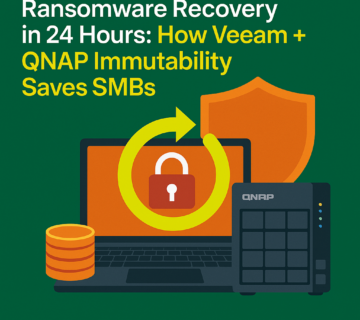
Backup strategy deserves specific attention in the ransomware context, since recovery speed depends almost entirely on backup quality and testing — see our breakdown of data backup and recovery for what a properly tested, ransomware-resilient backup strategy should include, including offline or immutable copies that an attacker with network access can’t also encrypt or delete. Businesses wanting to validate whether their current defenses would actually catch an attack before it reaches the ransomware stage should also consider periodic penetration testing, which tests real-world exploitability rather than relying on assumptions about current security posture.
Frequently Asked Questions
Should we ever pay the ransom?
This is a case-by-case decision involving legal counsel, insurance, and incident response professionals, not something to decide reactively in the first hours. Law enforcement generally discourages payment since it doesn’t guarantee recovery and funds future attacks, but the decision ultimately depends on the specific circumstances, available backups, and business impact of continued downtime.
Why shouldn’t we just power off affected computers immediately?
Powering off a device can destroy evidence held in memory that’s useful for understanding how the attack occurred and what it affected, and in some cases can interact unpredictably with how the ransomware was designed to behave on shutdown. Disconnecting from the network (unplugging the cable, disabling Wi-Fi) achieves containment without this risk.
How do we know if our backups are safe to restore from?
Check backup integrity and timing carefully before restoring, since some ransomware sits dormant for days or weeks before triggering, meaning recent backups could include an infected copy. Backups with sufficient retention history and offline or immutable copies that couldn’t be encrypted alongside the rest of the network are the safest starting point for restoration.
Do we need to notify customers or regulators after a ransomware attack?
Possibly, depending on what data was affected and which state or industry regulations apply to your business. Notification timelines often start from the moment of discovery, which is why engaging legal counsel early in the first few hours matters rather than waiting until the full scope is understood.
Who should be responsible for deciding what to communicate externally during an active incident?
Designate this in advance as part of your incident response plan — typically a single executive or communications lead working closely with legal counsel — rather than leaving it to whoever happens to be available when a customer or reporter asks a question. Premature or inconsistent public statements during an unfolding incident frequently create more lasting damage than the technical disruption itself.
Don’t wait for an active incident to find out your response plan has gaps. Get in touch to build or review an incident response plan before you need one.
A short planning session now, walking through exactly who does what in the first hours of an incident, is far cheaper and less stressful than discovering those gaps while systems are actually down and the business is losing revenue by the hour.
A Brief Word on Practicing the Plan
Having a written plan is necessary but not sufficient on its own. Organizations that periodically run a tabletop exercise — walking through a simulated ransomware scenario with the actual people who’d be involved, without touching real systems — consistently find gaps in their written plan that weren’t obvious on paper: an outdated contact number, an unclear decision-making authority, or an assumption about backup recovery time that turns out to be optimistic once actually tested. This exercise doesn’t need to be elaborate or expensive; even a focused one-hour discussion once or twice a year, working through the hour-by-hour timeline above against your specific systems and team, meaningfully improves how an organization would actually perform during a real incident.
Knowing how to respond to a ransomware attack is as much about preparation as reaction — the businesses that recover fastest are the ones who had a plan, tested backups, and clear decision-making authority established well before the first 24 hours ever started.