HIPAA IT Checklist for Medical Practices: Safeguards and Evidence
🎙️ Dive Deeper with Our Podcast!
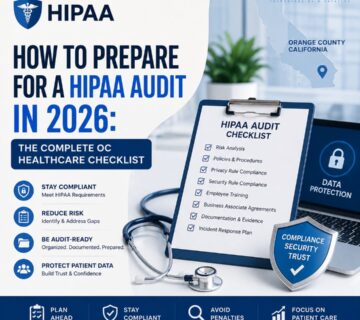
Use a HIPAA IT Checklist to Organize a Review
A HIPAA IT checklist helps a medical practice review safeguards and collect evidence. It does not certify compliance or predict an audit result. Start with the organization’s role, the electronic protected health information (ePHI) it handles and the systems that support care.
The HIPAA Security Rule covers administrative, physical and technical safeguards. A technical review must fit within that broader program. Use qualified privacy or legal advice to resolve questions about the applicable duties.
Confirm the Scope and Current Requirements
Identify whether the activity involves a covered entity or business associate. List systems that create, receive, maintain or transmit ePHI. Include cloud services, email, backups, remote devices and exports.
The HHS role guidance helps establish scope. The Security Rule summary describes the required standards and implementation specifications.
Addressable specifications are not optional. Determine whether each is reasonable and appropriate for the organization, and document the required decision and alternatives where relevant. Keep current requirements separate from the proposed Security Rule changes.
Review Access Controls and Authentication
Identify Users and Their Permissions
Review how the systems identify users and grant access. Unique user identification supports accountability for activity involving ePHI. Check role changes, departures, privileged accounts and any shared access that prevents reliable attribution.
Give each role access appropriate to its work. Verify the settings rather than relying only on a written policy. Define who approves access and who removes it when it is no longer needed.
Plan Emergency Access and Session Controls
Document the procedure for obtaining necessary ePHI during an emergency. Test how authorized staff will use it when normal systems or identity services are unavailable. Protect emergency credentials and review their use.
Assess automatic logoff under the applicable specification. Select a suitable timeout for the environment and risk; HIPAA does not set one universal fifteen-minute period. Check that clinical work and emergency needs remain usable.
Strengthen Authentication
Verify that a person or entity seeking access is who it claims to be. Multi-factor authentication can strengthen account protection. Select appropriate methods and test coverage, recovery and support arrangements.
Do not present a particular password length, rotation period or authentication product as a universal HIPAA requirement. Evaluate the actual risk and any additional contractual duties. Record the chosen controls and their limits.
Check Audit and Integrity Controls
Implement mechanisms to record and examine relevant system activity. Confirm that logs are enabled where needed and that a responsible person reviews useful events. Protect the records from inappropriate access or modification.
Integrity controls address improper alteration or destruction of ePHI. Review how the system detects and handles those events. Technical measures must fit the application and the evidence needed to investigate a problem.
- Check whether important events identify the account, time and action.
- Define how suspicious activity reaches an authorized reviewer.
- Test that the team can retrieve the necessary records.
- Set retention based on applicable duties, risks and operational needs.
The Security Rule’s six-year retention requirement concerns specified required documentation. It is not a blanket instruction to keep every system log for six years. Review the record type and applicable rule before setting a retention policy.
Protect Stored and Transmitted Information
Review where ePHI is stored and how it moves between systems. Assess encryption specifications and other protections under the current rule. Record the decisions, configuration and evidence that the control works.
Encryption is an important safeguard, but the current rule does not universally name a cipher or protocol version for every system. A padlock in a browser is not proof that the full workflow meets its obligations. Check recipients, permissions, endpoints and storage as well.
Include messaging, portals, backups and third-party connections in the review. Use approved methods for sharing evidence with advisers. Avoid copying patient records into a general work register.
Test Backup and Recovery
Review data backup, disaster recovery and emergency-mode operations as part of contingency planning. A successful backup job does not establish that the practice can restore a working application. Test the recovery process and document its limits.
Choose backup frequency, recovery goals and test schedules from the organization’s needs and applicable duties. Do not assume that a fixed daily or quarterly schedule fits every system. Include dependencies such as identity, licensing and external services.
- Identify the data and applications needed to continue care.
- Check who can access, change or delete backup copies.
- Test restoration to a suitable environment.
- Record failures, owners and follow-up actions.
- Review the plan when systems or business processes change.
Manage Devices, Media and Vendors
Review facility and workstation access, mobile devices, reuse and disposal. Track where ePHI may remain when equipment leaves service. A device inventory is useful only if ownership and handling responsibilities stay current.
Assess vendor roles before sharing PHI. Determine which relationships require a business associate agreement and confirm the exact service covered. Signing an agreement does not replace operating safeguards or close an uncovered data flow.
For related planning, see the SOC 2 and HIPAA controls discussion. These frameworks have different scopes; one review does not establish compliance with the other.
Keep Evidence and Incident Procedures Usable
Maintain required policies and records, with owners and review dates. The Security Rule requires specified documentation for six years after creation or the date it was last in effect, whichever is later. Apply other retention duties separately.
Train staff for their roles and provide a clear reporting route. If an incident occurs, preserve facts and involve the privacy or legal lead. Apply the relevant breach assessment and notification requirements rather than treating every event the same.
Follow the actual review or audit request. Share only the necessary information through an approved method. Record unresolved gaps and their remediation plans instead of claiming that a checklist guarantees readiness.
Plan Technical Support with Technijian
Discuss HIPAA technology support and Orange County IT support for the systems in scope. Teams in Irvine, Costa Mesa, Newport Beach and Huntington Beach can discuss their delivery needs.
Bring the system list, existing risk analysis and known gaps to a planning appointment. Confirm pricing, deliverables, access and any agreement requirements. An IT provider can support controls and evidence; it cannot guarantee a legal or audit outcome.
Official HHS sources linked in this article were reviewed on 4 November 2026.
Frequently Asked Questions
What are the HIPAA technical safeguard categories?
The Security Rule addresses access controls, audit controls, integrity, person or entity authentication, and transmission security. Review the standards and implementation specifications with the actual electronic PHI systems in scope.
How often should a medical practice review its HIPAA risks?
Use an ongoing process that reflects changes in systems, operations and threats. The current rule does not prescribe one universal annual risk-analysis interval. Document the review approach and perform required evaluations as circumstances change.
What happens when a HIPAA review identifies a problem?
The response depends on the facts, applicable requirements and type of review. Document the issue, involve the responsible privacy or legal lead and plan verified remediation. Do not assume a fixed fine or a guaranteed audit result.
Is encryption required under HIPAA?
Encryption implementation specifications are addressable under the current Security Rule. Addressable does not mean optional. Assess whether each specification is reasonable and appropriate, implement it where it is, and document the required decisions and alternatives where applicable.
Do small practices have to follow HIPAA?
Size alone does not remove duties for a covered entity or business associate. The Security Rule allows flexibility based on factors such as size, complexity, capabilities and risk. Determine the role and appropriate safeguards for the activity.
Which evidence should a practice prepare?
Prepare the role and data map, risk analysis, applicable policies, relevant agreements and evidence of implemented controls. Include training, access review, incident and recovery records where required. Follow the actual scope of the reviewer’s request.
How does cyber insurance relate to HIPAA?
An insurance contract and HIPAA impose separate requirements. Review the actual policy and legal duties rather than assuming one checklist satisfies both. Record which requirement each control is intended to address.