Managed IT Services in Irvine, CA: What Local Businesses Should Expect
Irvine’s business base has grown faster than most Orange County cities can comfortably support with internal IT staff. Biotech firms in the Irvine Spectrum, law practices near the Civic Center, and fast-scaling tech startups in the Irvine Business Complex all share the same problem: the IT needs of a 40-person company look nothing like the IT needs of a 10-person company, but budgets rarely grow at the same pace as headcount. That gap is exactly where managed it services irvine providers are supposed to step in — yet not every provider delivers the same thing under that label. This guide walks through what a properly run managed IT engagement in Irvine should actually include, how pricing tends to work, and what questions to ask before signing a contract.
Why Irvine Businesses Outgrow Ad-Hoc IT Support
Most companies start with informal IT support: a technically-minded employee who also handles payroll questions, or a local freelancer who comes in when something breaks. This works fine until it doesn’t. The common failure points we see across Irvine clients include:
- No one owns security patching, so servers and workstations drift months behind on updates.
- Backup exists “somewhere” but has never been tested with a real restore.
- New hires wait days for laptops and account access because onboarding isn’t documented.
- A single vendor relationship (the “IT guy”) becomes a business continuity risk if that person is unavailable.
Searching for managed it services irvine is usually the moment a company decides ad-hoc support has become a liability rather than a convenience. The right next step is not just hiring a cheaper version of the same model — it’s moving to a structured, proactive service built around defined response times and documented processes.
What a Real Managed IT Engagement Looks Like
A capable managed IT services provider in Irvine should be able to describe, specifically, how each of the following is handled — not in marketing language, but in operational terms you could hold them to.
1. Proactive Monitoring and Patching
Servers, workstations, and network equipment should be monitored continuously, with critical security patches applied on a defined schedule (commonly weekly for most patches, faster for actively exploited vulnerabilities). You should receive a report showing patch compliance across your fleet, not just a verbal assurance that “it’s handled.”
2. A Documented Help Desk With Real SLAs
Response time commitments matter more than marketing copy. Ask what the guaranteed first-response time is for a critical outage (server down, network down) versus a routine ticket (password reset, software question), and ask to see those metrics in writing in the service agreement, not just on the website.
3. Backup and Disaster Recovery, Tested Not Assumed
Backups that have never been test-restored are a liability dressed up as a safety net. A competent provider will run periodic restore tests and can tell you your current recovery point objective (how much data you could lose) and recovery time objective (how long restoration takes) in concrete numbers.
4. Security as a Baseline, Not an Upsell
Endpoint protection, email filtering, multi-factor authentication, and basic security awareness training should be included in a standard managed IT contract, not sold separately as add-ons after the fact. If a provider’s base package has none of this, the “managed” label is doing more work than the service itself.
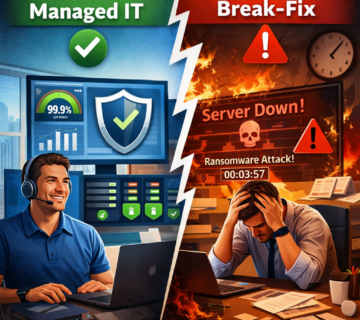
5. Strategic IT Planning, Not Just Break-Fix
Beyond daily support, you should get a recurring (typically quarterly) business review covering budget planning, hardware refresh cycles, and upcoming projects — tied to your actual growth plans, not a generic template.
How Pricing Typically Works
Most Irvine-area managed IT providers price per user or per device, per month, with the rate varying based on included security tools, backup scope, and support hours. Flat-fee, all-inclusive pricing is generally preferable to a low base rate plus frequent add-on charges, because it aligns the provider’s incentives with keeping your environment stable rather than billing for every incident. When comparing quotes, ask each provider to itemize exactly what’s included in the base rate versus billed separately — security patching, after-hours support, and on-site visits are the categories most often carved out as extras.
A Practical Evaluation Checklist
Before selecting a provider offering managed it services irvine businesses can rely on, work through this list:
- Can they produce a sample monthly or quarterly report from an existing client (redacted), showing patch compliance, ticket volume, and backup status?
- What is the guaranteed response time for a critical outage, in writing?
- Is multi-factor authentication, endpoint protection, and email security included in the base package?
- How often are backups test-restored, and what are the current RPO/RTO figures?
- Do they have local, on-site capability in Orange County, or is support entirely remote?
- What happens during the transition — how is the migration from your current provider or internal team handled, and what’s the expected timeline?
- Are contracts month-to-month or do they require a multi-year commitment with early-termination penalties?
- Do they carry cyber liability insurance, and will they confirm coverage details on request?
- How is after-hours and weekend support handled — a live technician, an answering service, or nothing?
- Can they name industry-specific compliance experience relevant to your business (HIPAA for healthcare, for example)?
What Onboarding Should Look Like
The first 30 to 60 days of a new managed IT relationship tell you more about a provider than any sales conversation. A well-run onboarding typically starts with a full inventory of hardware, software licenses, and network infrastructure, followed by documentation of every account, vendor relationship, and recurring process the current team relies on. This documentation step is frequently skipped by lower-quality providers, and its absence shows up later as repeated questions, slower ticket resolution, and a provider that never quite seems to know your environment the way a long-term partner should. Ask a prospective provider to describe this onboarding process in detail, including a rough timeline, before signing anything.
A second marker of quality onboarding is how new employee setup and departing employee offboarding are handled from day one. Request a sample of the documented onboarding checklist a provider uses for new hires — account provisioning, hardware assignment, software licensing, and security group access should all be itemized steps, not something handled ad-hoc each time a new employee starts. The same applies in reverse: offboarding a departing employee should immediately revoke access across every system, not just the primary email account, since lingering access after someone leaves is a common and avoidable security gap.
Compliance Considerations for Irvine Businesses
Irvine’s business mix includes a meaningful number of healthcare practices, financial services firms, and government-adjacent contractors, each of which carries specific regulatory obligations that a generic managed IT package doesn’t automatically satisfy. Healthcare practices need to confirm that backup systems, email, and any cloud storage used for patient information meet HIPAA safeguards, including audit logging and encryption requirements. Financial services firms often need to demonstrate specific access controls and data retention practices to auditors or regulators. If your business falls into one of these categories, ask a prospective managed IT provider directly what experience they have supporting your specific compliance framework, and ask for a reference client in a similar regulatory position, not just a general reference.
Even businesses without a formal regulatory requirement benefit from treating data handling with similar discipline — customers and partners increasingly expect vendors to demonstrate basic data security practices as a condition of doing business, and having documented policies in place makes responding to those requests far simpler than building them from scratch under time pressure.
Signs a Provider Isn’t the Right Fit
A few warning signs are worth taking seriously during the sales process. If a provider is vague about response-time commitments, reluctant to put service levels in writing, or pushes a long-term contract before doing any discovery of your current environment, treat that as a signal. The same applies if their references can’t speak to a specific incident where the provider actually delivered — generic praise (“they’re great, very responsive”) without detail is a weaker signal than a specific story about handling an outage or a failed hardware component.
Why Local Presence Still Matters
Remote monitoring and remote ticket resolution handle the majority of day-to-day issues, but hardware failures, new-office buildouts, and network changes eventually require someone on-site. A provider based in or near Orange County, with technicians who can reach Irvine offices within a reasonable window, reduces the downtime window for the problems that can’t be fixed remotely. For managed IT services specifically, ask how many technicians are regularly dispatched to Irvine-area clients and what the typical on-site response time looks like.
For companies not ready to fully outsource IT, a co-managed IT arrangement — where an internal IT person or small team is supplemented by an external provider for after-hours coverage, specialized security work, or overflow capacity — is often a more comfortable first step. It keeps institutional knowledge in-house while adding the bench depth a one-person IT department can’t provide alone.
Backup and recovery deserves its own line of scrutiny beyond the general checklist above. Review how data backup and recovery is structured for your specific systems — line-of-business applications, databases, and cloud-hosted data often need different backup strategies than standard file servers, and a provider should be able to explain how each is covered.
If your business is also weighing a shift from an internal IT team toward managed support, it’s worth reading our related breakdown on preventing recurring business disruptions with managed IT in Orange County for a broader view of the cost and risk tradeoffs involved.
Frequently Asked Questions
How much do managed IT services cost for a small business in Irvine?
Pricing varies by headcount, device count, and included security scope, but most small and mid-sized Irvine businesses should expect a per-user or per-device monthly rate that covers help desk support, monitoring, patching, and baseline security tools. Get itemized quotes from at least two or three providers before comparing, since bundled scope differs significantly between vendors.
How long does it take to switch managed IT providers?
A well-planned transition typically takes two to four weeks for a small-to-mid-sized environment, covering documentation of existing systems, account and credential migration, and a short overlap period to confirm nothing was missed. Rushed transitions increase the risk of gaps in coverage, so be cautious of any provider promising a same-week full cutover.
Do I still need managed IT services if I already have an in-house IT person?
Many Irvine businesses run a hybrid model, keeping an internal IT lead for day-to-day knowledge of the business while using a managed provider for after-hours coverage, specialized security monitoring, and backup capacity during vacations or turnover. This co-managed approach is often more cost-effective than either fully outsourcing or trying to staff a complete internal team.
What industries in Irvine benefit most from managed IT?
Professional services firms (legal, financial, accounting), healthcare practices, and growing technology companies tend to see the clearest returns, since each depends heavily on uptime, data security, and compliance requirements that ad-hoc IT support struggles to meet consistently.
What should be included in the onboarding process when switching providers?
Expect a documented inventory of hardware, software licenses, and accounts; a defined timeline for the transition; and a short overlap period where both the outgoing arrangement and the new provider can confirm nothing was missed. A provider unwilling to commit to a documented onboarding plan in writing is a reasonable reason to keep looking.
Should I expect a dedicated account manager, or just a ticketing queue?
A properly structured managed IT relationship includes both: a ticketing system for day-to-day issues and a named account manager or virtual CIO who understands your business and leads the periodic strategic reviews. If a provider can only offer a generic support queue with no single point of accountability for strategic planning, that’s worth factoring into your decision, since larger or fast-growing Irvine businesses tend to need both layers of support over time.
Ready to see what proactive IT support looks like for your business? Request a free managed IT assessment and get a clear picture of your current environment, security gaps, and a realistic cost comparison.
Choosing the right partner for managed it services irvine companies trust comes down to specifics: documented response times, included security baseline, tested backups, and local presence when something needs hands-on-keyboard attention. Providers who can answer the checklist above in writing, without hedging, are the ones worth shortlisting.